You can extend a cleanroom recovery test by 2 days.
To extend a recovery test, follow these steps:
-
Log on to cloud.commvault.com.
-
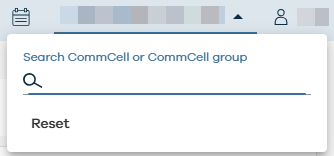
In the upper-right area of the page, select your CommCell environment.
-
In the Control plane tile, click Start recovery test.
-
On the Recovery requests tab, in the Recovery history table, in the backup set row, click the action button
 , and then select Extend reservation.
A confirmation message appears.
-
Click Submit.