When the output of an activity matches the input of the next activity, you can assign the output as the input for the next activity.
Procedure
-
From the workflow design area, right-click the activity that should take the output of the previous activity, and then click Properties.
The activity dialog box appears.
-
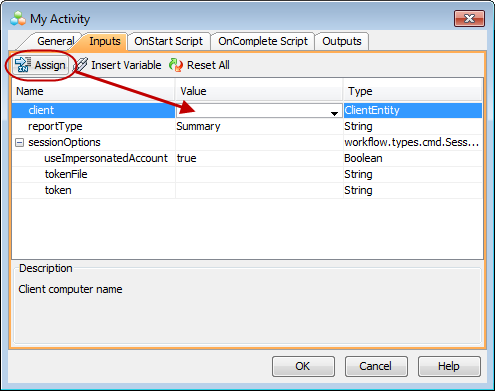
On the Inputs tab, click in the Value column for the input that should take the output of the previous activity.
-
Click the Assign button.
In the following example, the output of an activity is a client computer which is expected as the input for the next activity.
Result
The output of the previous activity is entered in the Value column.