Once the storage policy is configured, you are ready to perform your first backup.
The following section provides step-by-step instructions for performing your first backup:
-
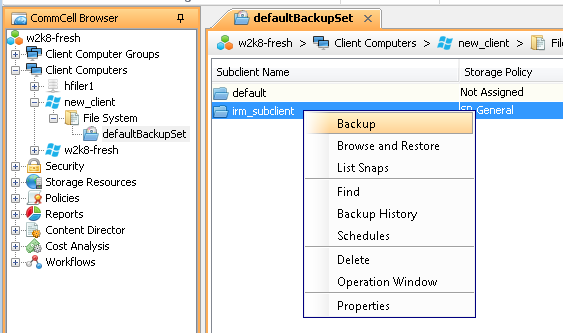
From the CommCell Browser, navigate to Client Computers | <Client> | File System | defaultBackupSet.
Right-click the newly created subclient and click Backup.
-
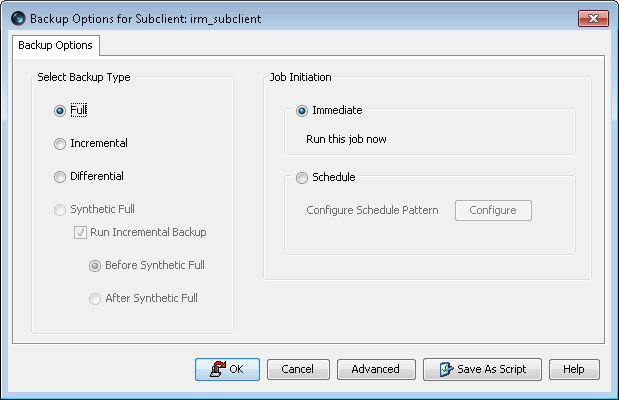
Select Full as backup type.
-
Click OK to run job immediately.
To schedule the job for a specific time, perform the following steps:
-
Select the Schedule option.
-
Click Configure button.
-
In the Schedule Name box, specify the name for the schedule.
-
Select the appropriate scheduling options.
For example, use the following steps to create a weekly schedule:
-
Type a name for the schedule in the Schedule Name box.
-
Click Weekly.
-
In the Start Time box type or select the schedule start time.
-
Click and select the days to run the schedule.
-
Click OK.
-
-
Click OK.
The backup job will be executed as scheduled.
-
-
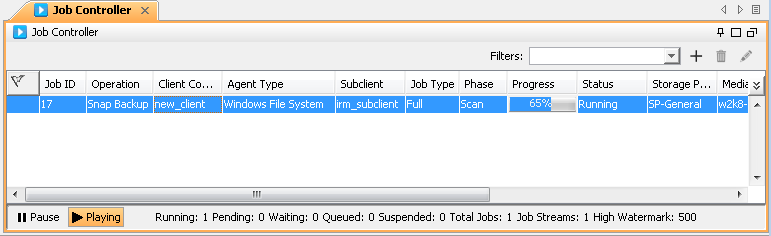
You can track the progress of the job from the Job Controller window of the CommCell console.