Credentials are user names, passwords, keys, IDs, and similar information that's needed to access a workload. Commvault provides a Built-in credential vault and supports other privileged access management solutions such as Azure Key Vault and CyberArk solutions.
What credentials do I need?
You need credentials for:
- The workloads you want to back up
- Backup storage
To add a credential to the Built-in credential vault, follow these steps:
-
From the Command Center navigation pane, go to Manage > Account > Security.
-
Click the Credential vault tile.
-
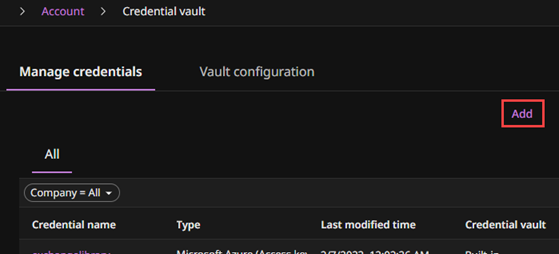
On the Manage credentials tab, click Add.
-
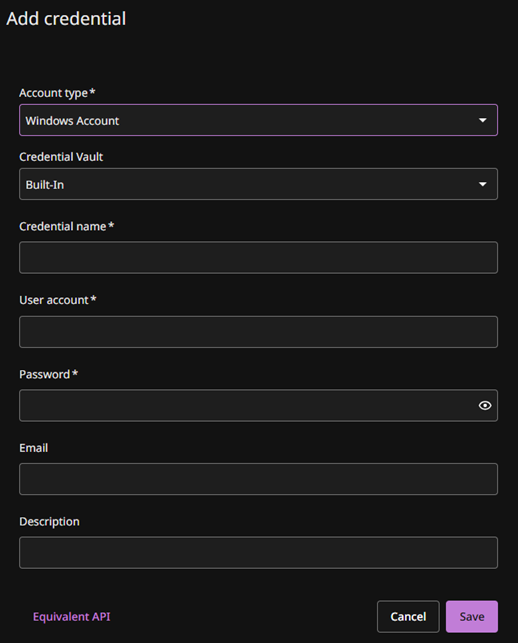
Select the account type, and then enter the credential details.
-
Click Save.