You can configure a new Threat Scan group.
Start the Wizard
-
From the Command Center navigation pane, go to Secure > Threat scan.
The Threat Scan page appears.
The Threat Scan groups tab shows all existing resource groups.
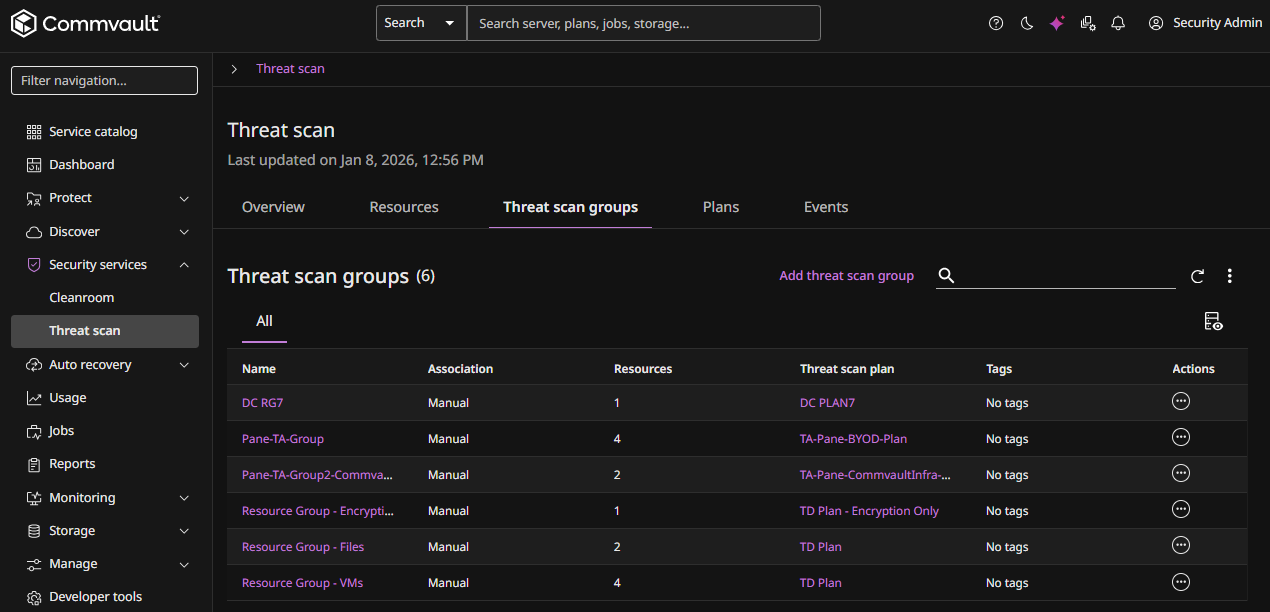
-
Click Add Threat Scan group at the top of the page.
The Create Threat Scan Group wizard appears.
Enter Group Name
-
Enter a Name for the configuration.
-
Click Next.
The Add Rules page appears.
Add Rules
Note
This step is optional.
-
Click Add Rule.
-
For Client scope, select one of the following:
-
Clients of company
- After selecting this option, select or enter a Company name.
-
Clients of user
- After selecting this option, select or enter a User name.
-
Clients of user group
- After selecting this option, select or enter a User group.
-
-
For Company, select or enter the company name.
-
Click Add rule group
The Edit associations dialog box appears.
-
Select or enter the criteria for this new rule group.
-
Click Save, and then click Next.
The Add Resources page appears.
Add Resources
-
Select the resources to add to the group.
-
Click Next.
The Assign Plan page appears.
Assign Threat Scan Plan
-
To use an existing plan, click Select an existing plan, select the plan.
-
To create a new plan, click Create a new plan and then do the following:
-
Enter a name for the new plan in the Plan name field.
-
Under Plan settings, do the following:
-
Select the scanning frequency (Automatic or Scheduled).
-
Select the backup storage. If you select Bring your own compute, then select the following:
-
Storage. Select an existing storage pool.
-
Access nodes. Either select an existing access node, or click the Add button
 and then add a new access node.
-
-
-
Under Detection services, select from the following:
-
Anomaly detection is enabled by default and cannot be disabled. It automatically monitors backup metadata and file attributes to identify suspicious or unusual activity patterns.
-
Threat detection. Enable this option and then select from the following:
-
Encryption detection. Select this to scan backups for encrypted files and ransomware threats.
-
Malware detection. Scans backups for known malware signatures to identify threats.
-
-
-
-
Click Next.
The Summary page appears.
Onboard the Threat Scan Group
-
Review the summary information.
-
Click Submit.