You can edit the associations for an existing Threat Scan group.
Procedure
-
From the Command Center navigation pane, go to Secure > Threat scan.
The Threat Scan page appears.
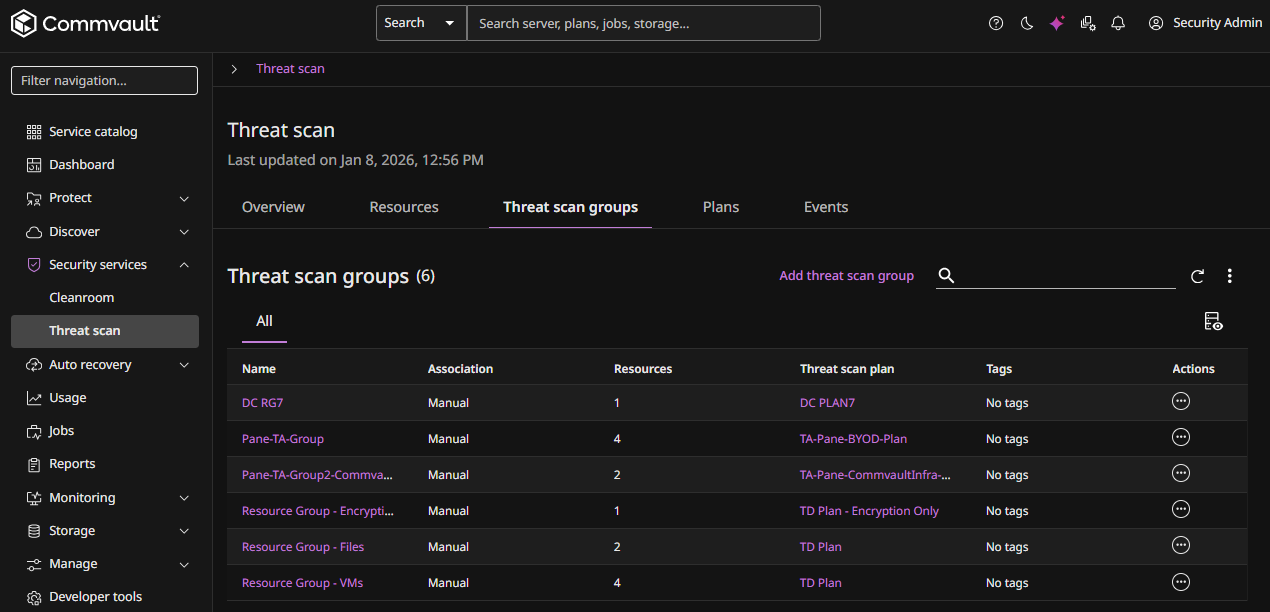
The Threat Scan groups tab shows all existing Threat Scan groups.
-
For the Threat Scan group you want to edit, click the Actions button
 , and then select Edit associations.
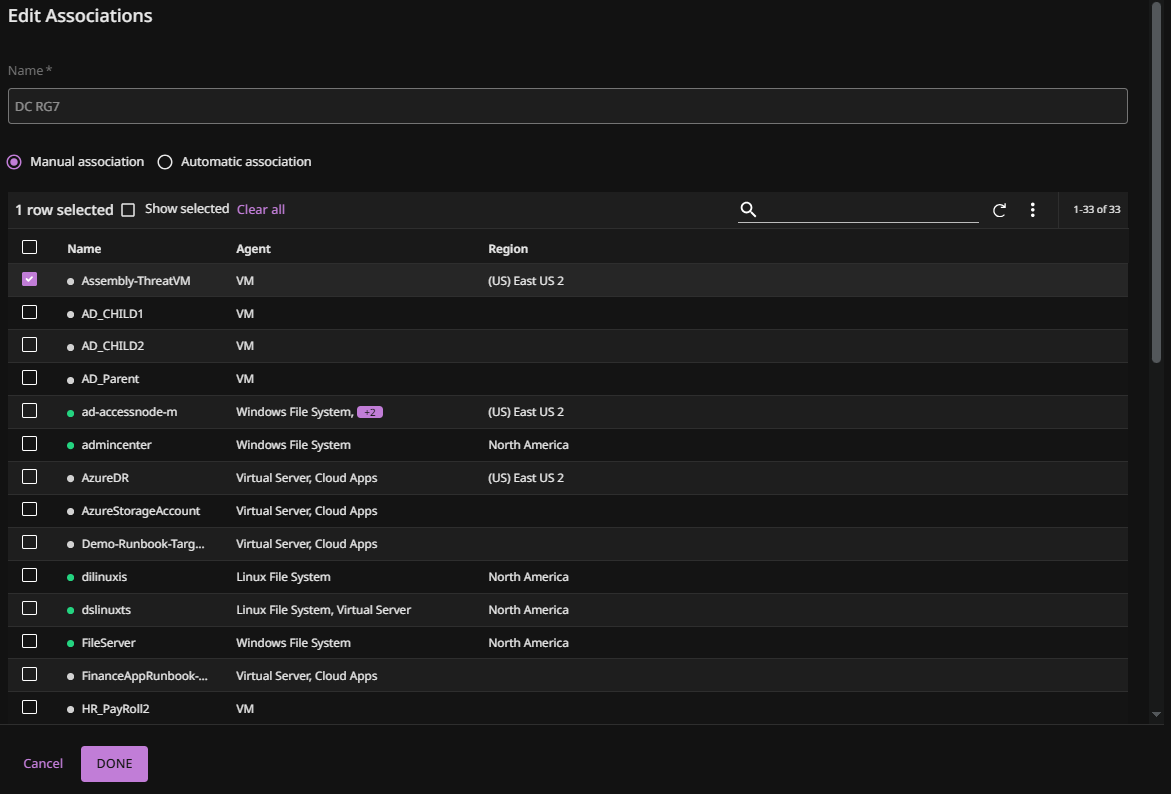
The Edit Associations page appears, as follows:
-
To select entities manually, select Manual association, and then do the following:
-
Select the entities from the list.
-
Click Next.
-
-
To select entities based on rules, select Automatic association, and then do the following:
-
For Client scope, select one of the following:
-
Clients of company
- After selecting this option, select or enter a Company name.
-
Clients of user
- After selecting this option, select or enter a User name.
-
Clients of user group
- After selecting this option, select or enter a User group.
-
-
Select or enter the Company.
-
Click Add rule group
The Edit associations dialog box appears.
-
Select or enter the criteria for this new rule group.
-
Click Done.
-