You can view Threat Scan partner signals for individual resources, and you can analyze these signals using Arlie AI Assistant. Partner signals are insights pulled from third-party security and monitoring platforms, providing visibility into cybersecurity threats and potential vulnerabilities.
Procedure
-
From the Command Center navigation pane, go to Secure > Threat scan.
The Threat Scan page appears.
-
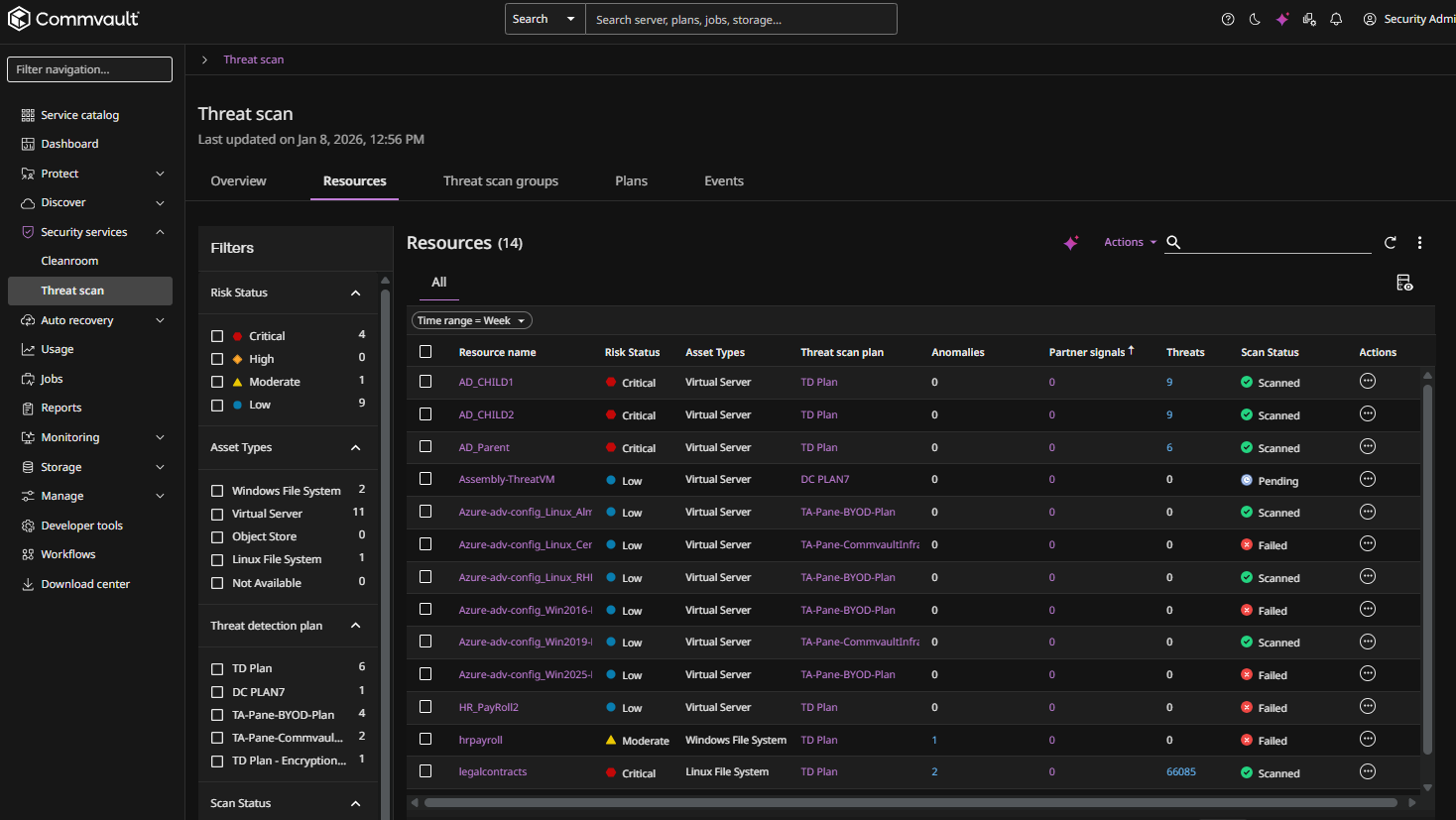
Click the Resources tab to show the resources that are currently scanned by Threat Scan, as follows:
-
Click the name of a resource.
The resource page appears.
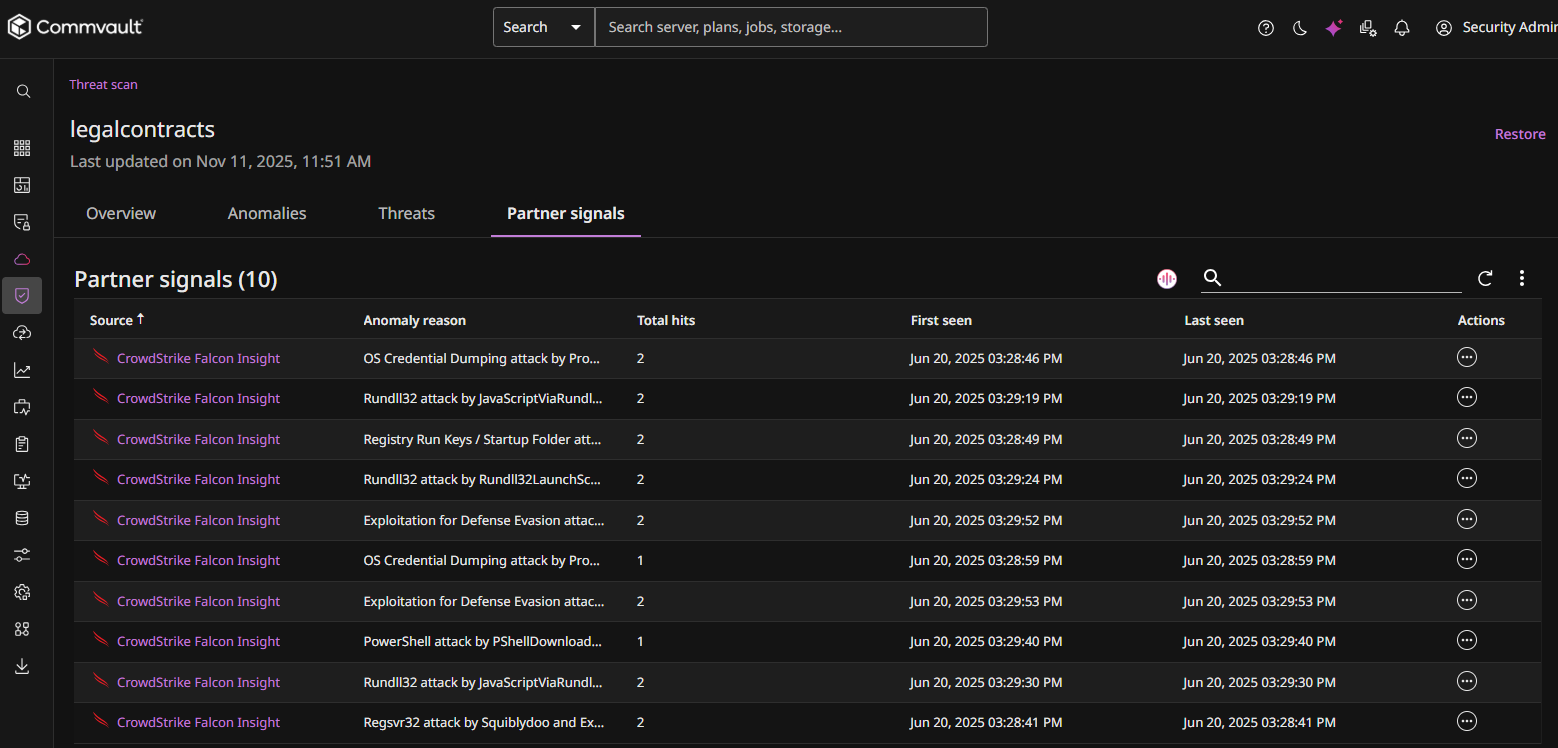
The Partner signals tab displays all insights found by the partner found in files on the resource, as follows:
-
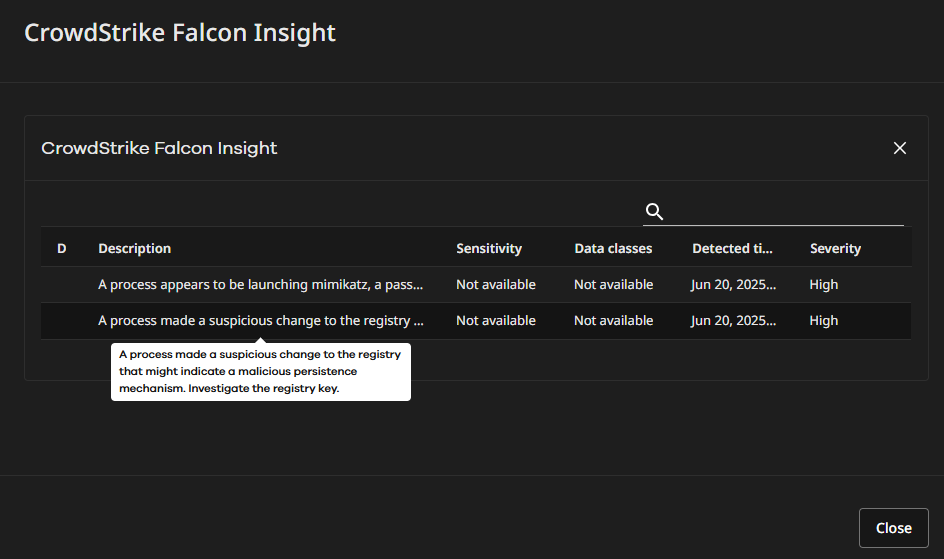
To view an insight, click a signal in the Source column.
The insight dialog box appears, as follows:
-
To delete a signal, click the Actions button
 for the signal you want to delete, and then select Delete.
Analyze Partner Signals Using Arlie
To analyze all partner signals using Arlie AI Assistant, click the Analyze with Arlie button .
Note
Arlie's responses are AI-generated and may not always be accurate. Please verify information independently where needed and avoid entering sensitive or personal information. All interactions are processed in accordance with our Privacy Policy.
The Arlie chat box appears, as follows:
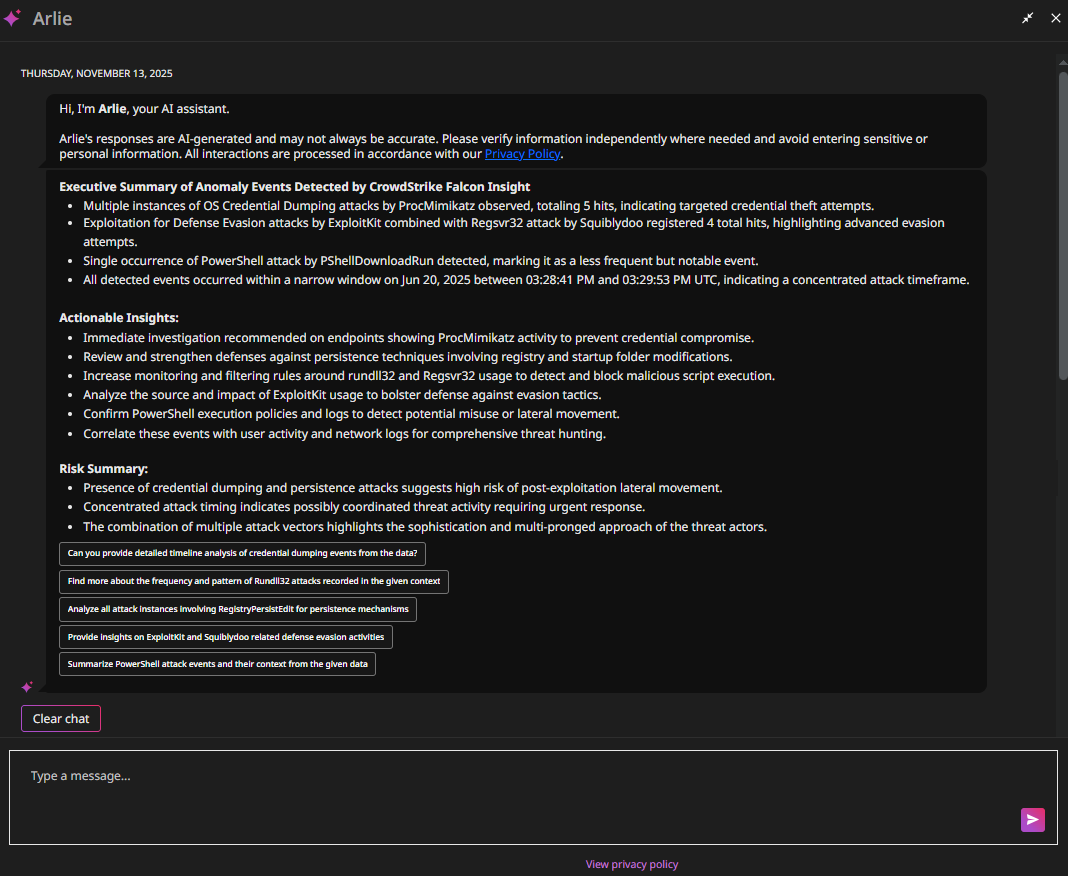
The Arlie chat box shows a detailed analysis of all partner signals, including an Executive Summary, Actionable Insights, and a Risk Summary. To prompt further AI-driven analysis from Arlie, type a message at the bottom of the chat box, or select one of Arlie's suggested inputs.
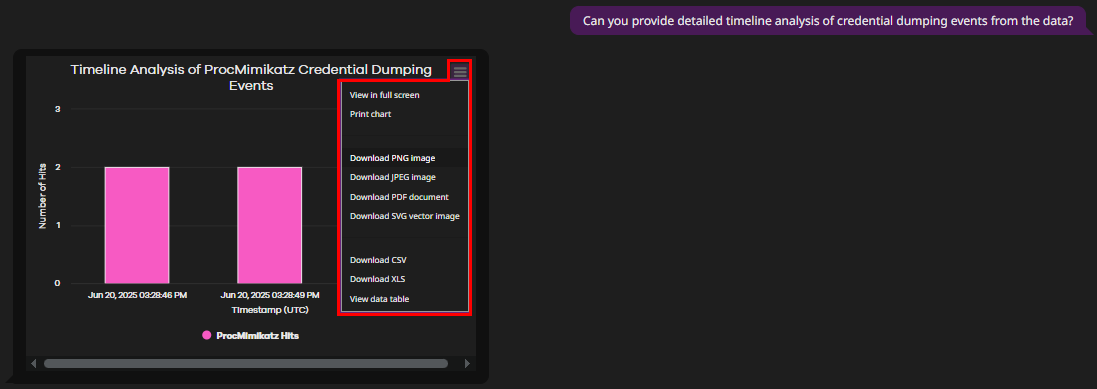
For example, in the figure below, the user selected the following suggested chat input: "Can you provide detailed timeline analysis of credential dumping events from the data?". Arlie responded with the following chart, which the user can view, print, or download in a range of formats (highlighted in red, below).
For more information about Arlie, see Arlie AI Assistant.