-
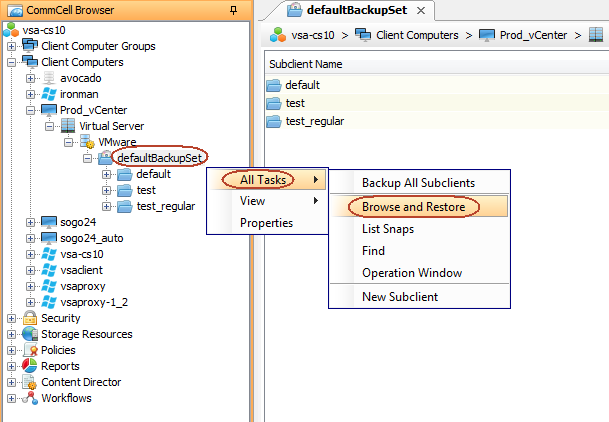
From the CommCell Console, navigate to Client Computer | <VMware vCenter Client> | Virtual Server | VMware.
Right-click the backupset that contains the data you want to restore and click Browse and Restore.
-
Click View Content on the Restore Options dialog box.