-
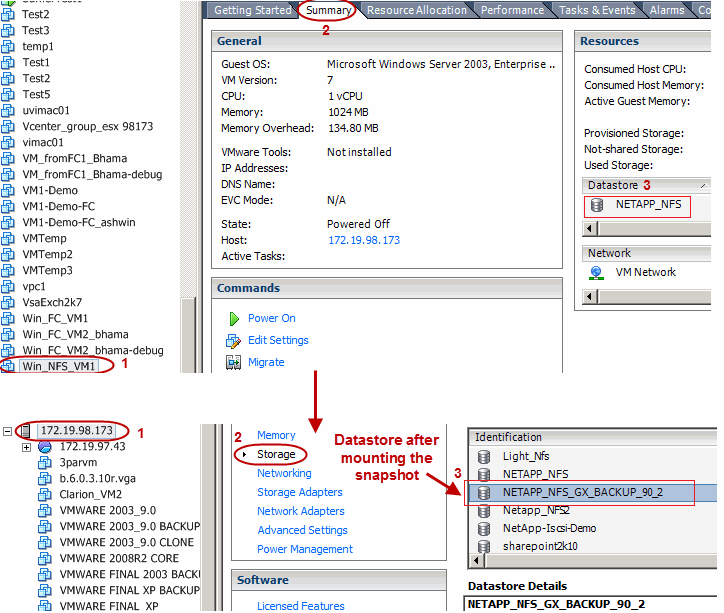
Click the virtual machine you want to register and click the Summary tab to see the datastore name.
-
Click the ESX server you selected in Step 4, and click the Storage option.
-
Identify the new datastore created after mounting the snapshot and register the virtual machine. The new datastore will have the following name:
[OriginalDatastoreName]_GX_BACKUP_[BackupJobID]
-
Specify a name for the virtual machine.