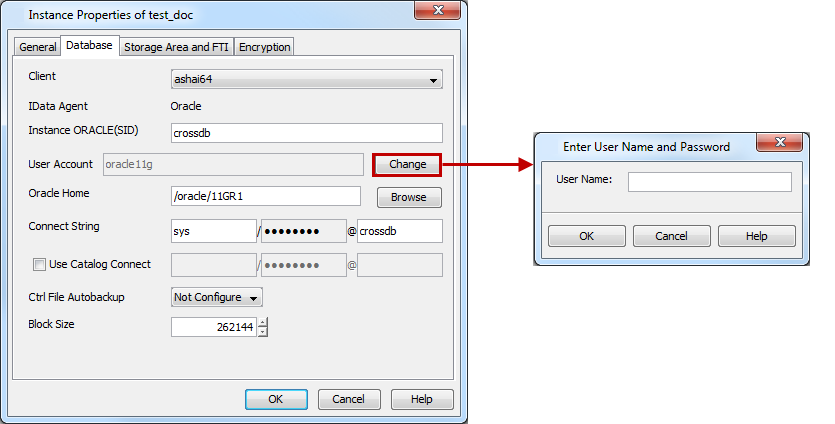
Use the following steps to change the Oracle database/application account credentials from the instance level:
-
Navigate to Client Computers | <Client> | Documentum.
-
Right-click the <Instance> and then click Properties.
-
Click the Database tab.
-
Click Change.
-
In the User Name box, type the name of the user account to access the Oracle application, and then click OK.
-
To change the database access credentials, type the following in the Connect String box to connect to the Oracle database:
-
Type the Database user ID.
-
Click the password box and type the password for the user ID in the Enter Password box.
-
In the Confirm Password box, retype the password, and then click OK.
-
Type the Oracle service name.
-
-
Click OK.