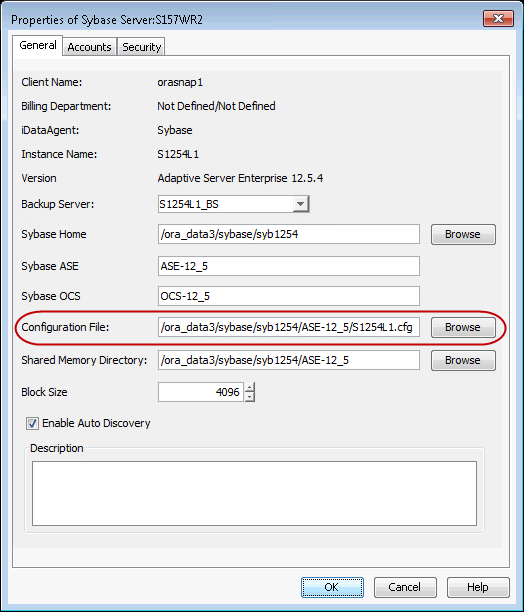
Use the following steps to change the location of the configuration file:
-
From the CommCell Browser, navigate to Client Computers | <Client> | Sybase iDataAgent.
-
Right-click the <Instance>, and then click Properties
-
In the Configuration File box, type the path to the configuration file. Alternatively, click Browse to select the location.
-
Click OK.