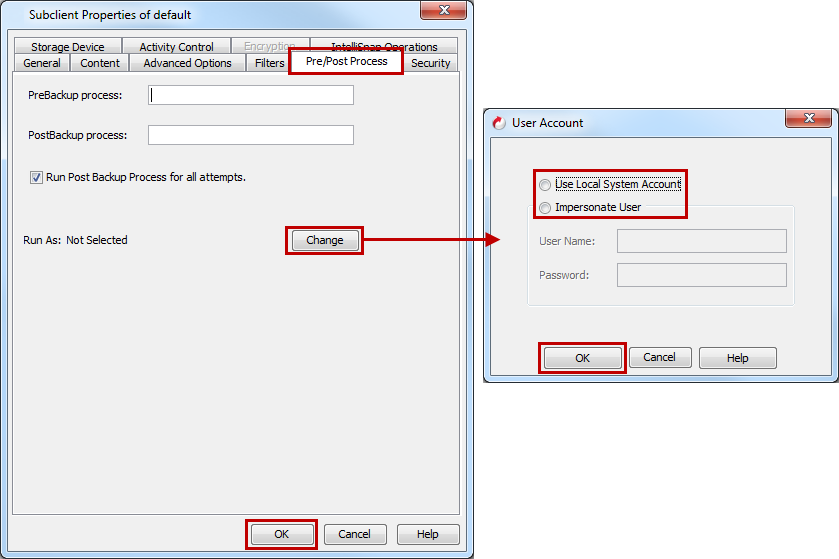
For a Windows MediaAgent you must specify the user account and password required for executing the Pre/Post commands.
-
From the CommCell Browser, go to Client Computers > client > NDMP > BackupSet.
-
Right-click the subclient in the right pane, and then click Properties.
-
On the Pre/Post Process tab, depending on the process you want to set up, enter the path of the batch file or the shell script in one of the following boxes:
-
PreBackup Process
-
PostBackup Process
-
-
Click Change.
-
Select one of the following user accounts:
-
Use Local System Account - Select this option to use the local system account on the MediaAgent for executing the Pre-process and Post-process commands.
-
Impersonate User - Select this option to use an authenticated user account for executing Pre/Post commands. However, if the specified user account is not available on the MediaAgent, backup jobs using Pre-process and Post-process commands will fail.
-
-
Click OK.
-
Click OK to close the Subclient Properties dialog box.