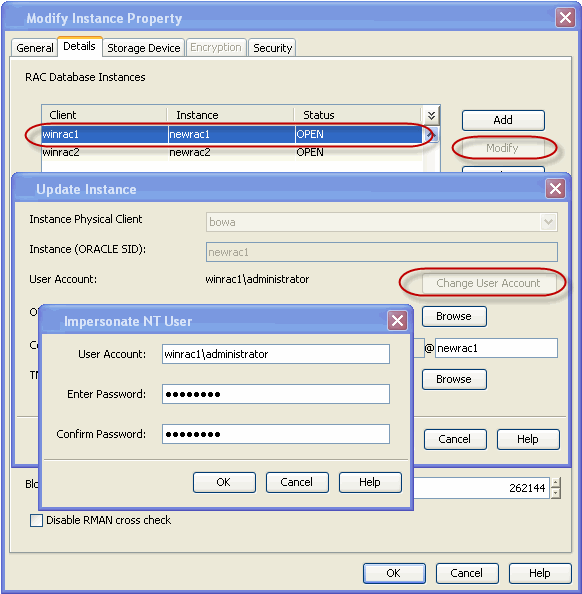
Use the following steps to configure the user account to access the Oracle application:
-
From the CommCell Browser, navigate to Client Computers | <RAC Client>.
-
Right-click the <Instance>, and then click Properties.
-
Click the Details tab.
-
Select the desired instance, and then click Modify.
On Windows clients:
-
Click Change User Account.
-
In the User Account box, type the user account name.
-
In the Enter Password box, type the password for the user account.
-
In the Confirm Password box, retype the password, and then click OK.
On Unix Clients:
-
Click Change User Account.
-
In the User Name box, type the user name, and then click OK.
-
-
Click OK.