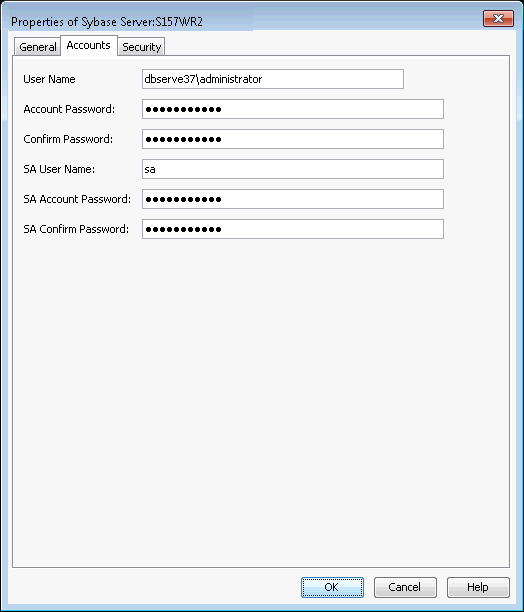
The Sybase agent requires the following two user accounts to access the Sybase application and database to perform backup and restore operations:
-
Database user account with administrator privileges.
On UNIX computers, the account information for accessing the database is provided during the Sybase iDataAgent installation.
On Windows computers, the account information is provided during the instance configuration after the installation of the Agent.
-
Operating system account with privileges to access the Sybase application.
The following table illustrates the required user account privileges for backup and restore operations:
|
Operations |
User Account Needed |
|
Create Sybase server |
Sybase database administrator account (SA role) |
|
Backup Sybase database and Restore non-system databases |
Operating system user account (operator role) with access to all the databases in an instance. |
|
Restore Sybase system databases |
Sybase database administrator account (SA role) |
|
Load sybsecurity database |
SSO role |
Note
The SA user must have sa_role and sso_role granted.
Procedure
-
From the CommCell Browser, navigate to Client Computers |<Client> |Sybase.
-
Right-click the <Instance> and click Properties.
-
Click the Accounts tab.
-
Type the user name in the User Name box.
-
Type the SA user name in the SA User Name box.
-
Type the password in the SA Account Password box and retype it in the SA Confirm Password box.
-
Click OK.