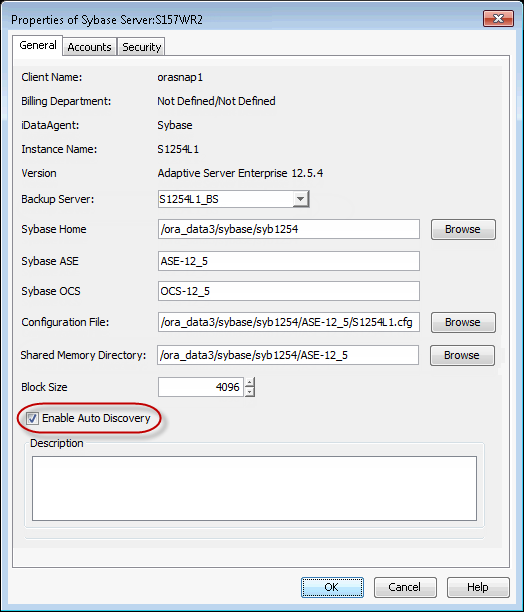
When an automatic database discovery is enabled, all the existing Sybase databases are discovered automatically on the default subclient when a backup job is submitted. If any new databases are added after a previous backup, these newly added databases will be automatically discovered on the default subclient when a backup job is performed.
Use the following steps to enable automatic database discovery:
-
From the CommCell Browser, navigate to Client Computers | <Client> | Sybase iDataAgent.
-
Right-click the <Instance>, and then click Properties.
-
Select the Enable Auto Discovery check box.
-
Click OK.