If a storage virtual machine (SVM) is not added through the detect and add option, you must associate the SVM with a cluster/physical file server to enable tunneling.
Procedure
-
From the CommCell Browser, go to Client Computers.
-
Right-click the client for which you want to enable tunneling, and then select Properties.
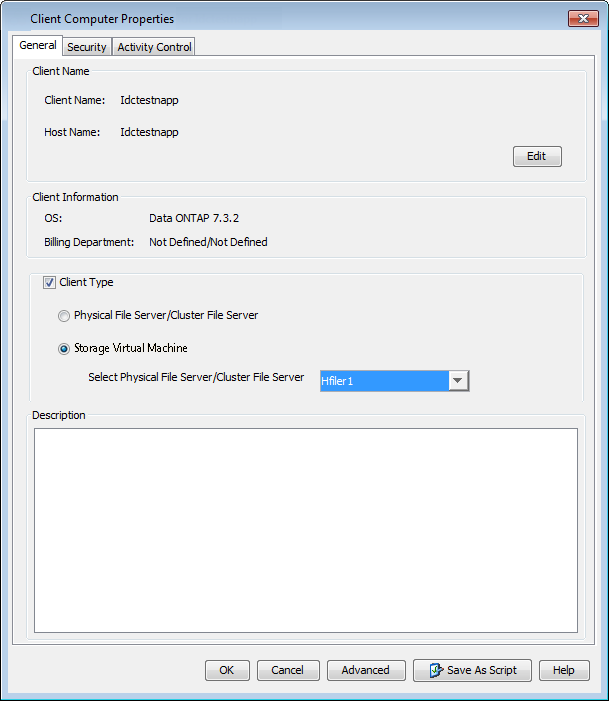
The Client Computer Properties dialog box appears.
-
On the General tab, select the Client Type check box, and then click Storage Virtual Machine.
-
Click OK to save your settings and close the dialog box.
Related Topics
Detecting and Adding Storage Virtual Machines on NetApp Arrays