When you select the Backup Copy option, the Offline Snap Copy Job Summary Report is created. The Backup Copy Job Summary Report displays information about backup copy jobs for each storage policy.
To generate the report:
-
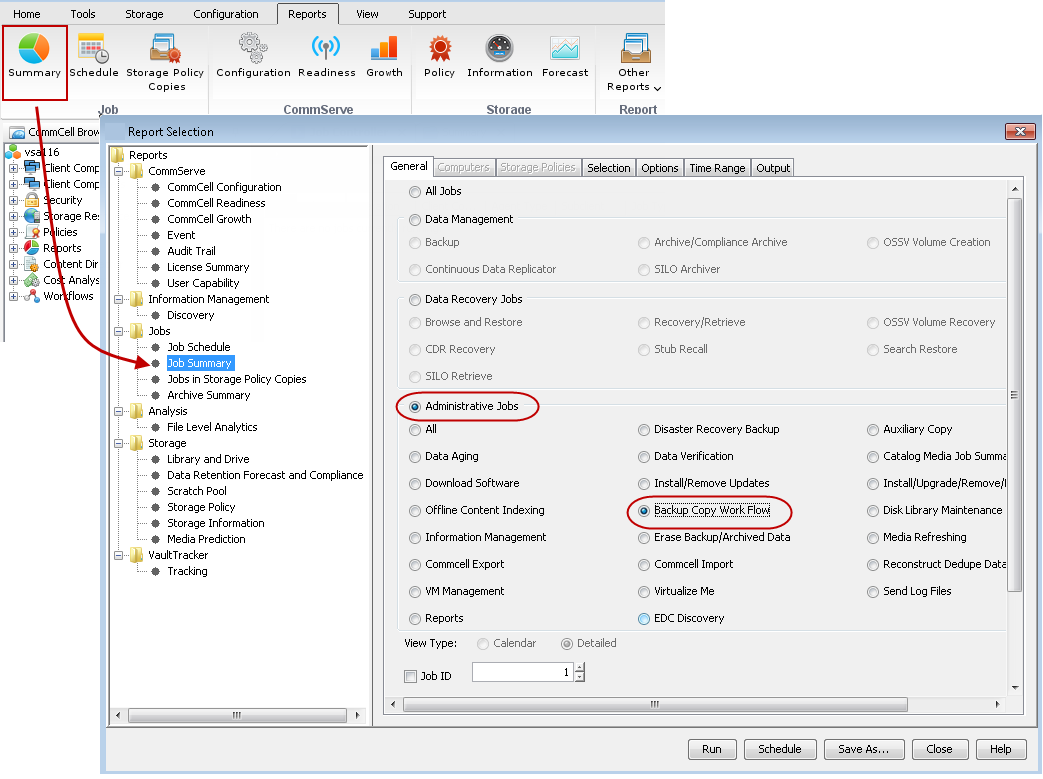
On the CommCell Console menu bar, select the Reports tab, and then click the Summary button. The Report Selection dialog box appears.
-
On the General tab, select Administrative Jobs, and then select Backup Copy Work Flow.
-
Click Run.
The report appears in your default Web browser.