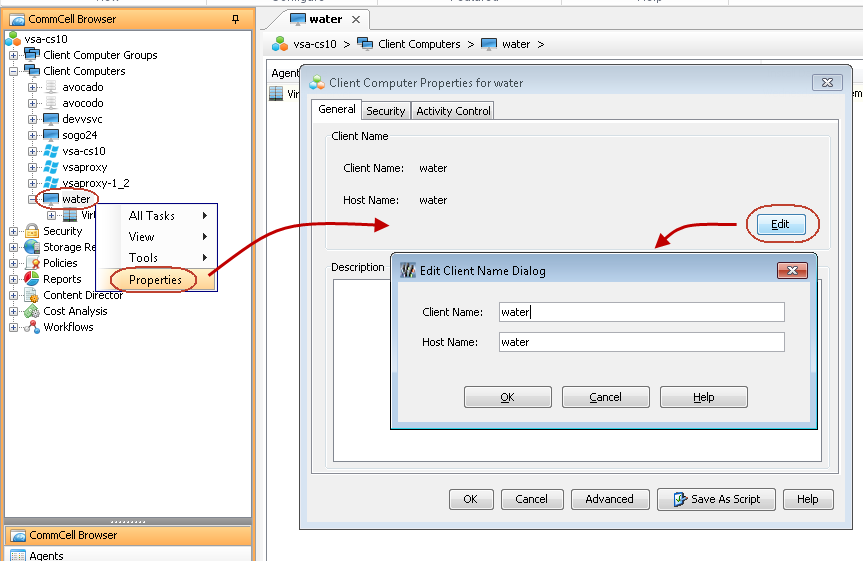
By default, the VMware vCenter client name is same as vCenter Host Name. You can change the default name. This will be useful when you want to create two or more VMware vCenter clients for the same vCenter. Follow the steps given below to change the name of the VMware vCenter client:
-
From the CommCell Console, expand the Client Computers node
-
Right-click the <VMware vCenter client> and select Properties.
-
Click Edit.
-
Enter the new Client Name.
-
Click OK.