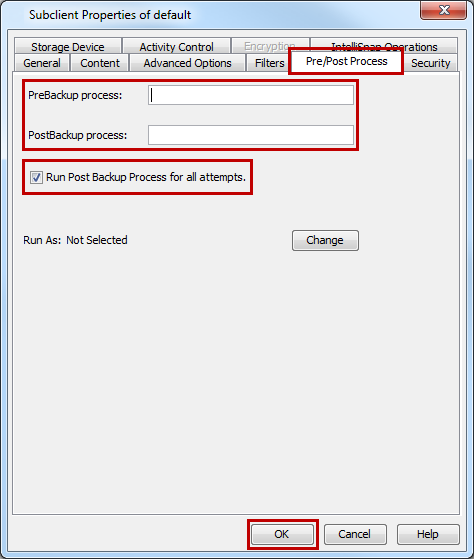
By default, a specified post-process command is executed when a backup job is completed or killed. Use the following steps to run a post-process when the backup operation does not complete.
Procedure
-
From the CommCell Browser, go to Client Computers > Client > NDMP > BackupSet.
-
In the right pane, right-click the subclient, and then click Properties.
-
On the Pre/Post Process tab, in the PostBackup Process box, enter the path of the batch file or the shell script.
-
Select the Run PostBackup Process for all attempts check box.
-
Click OK.