You can delete a message using Exchange Online Self-Service. When you delete a message using Self-Service, it is permanently deleted and you can no longer restore it. The tenant administrator must assign the Delete data permission to your user or user group so that you can delete messages.
Procedure
-
From the Command Center navigation pane, go to Protect > Microsoft 365.
The Microsoft 365 Overview page appears.
-
On the Self-service dashboard, in the Exchange Online section, click Restore.
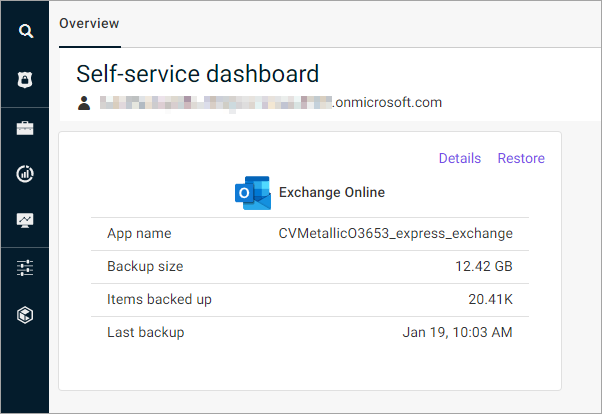
The message selection page appears.
-
From the email list, select a message.
-
At the upper-left area of the page, click Delete.
A message appears that asks if you want to permanently delete the message.
-
Click Yes.