You can delete a Threat Scan plan.
Procedure
-
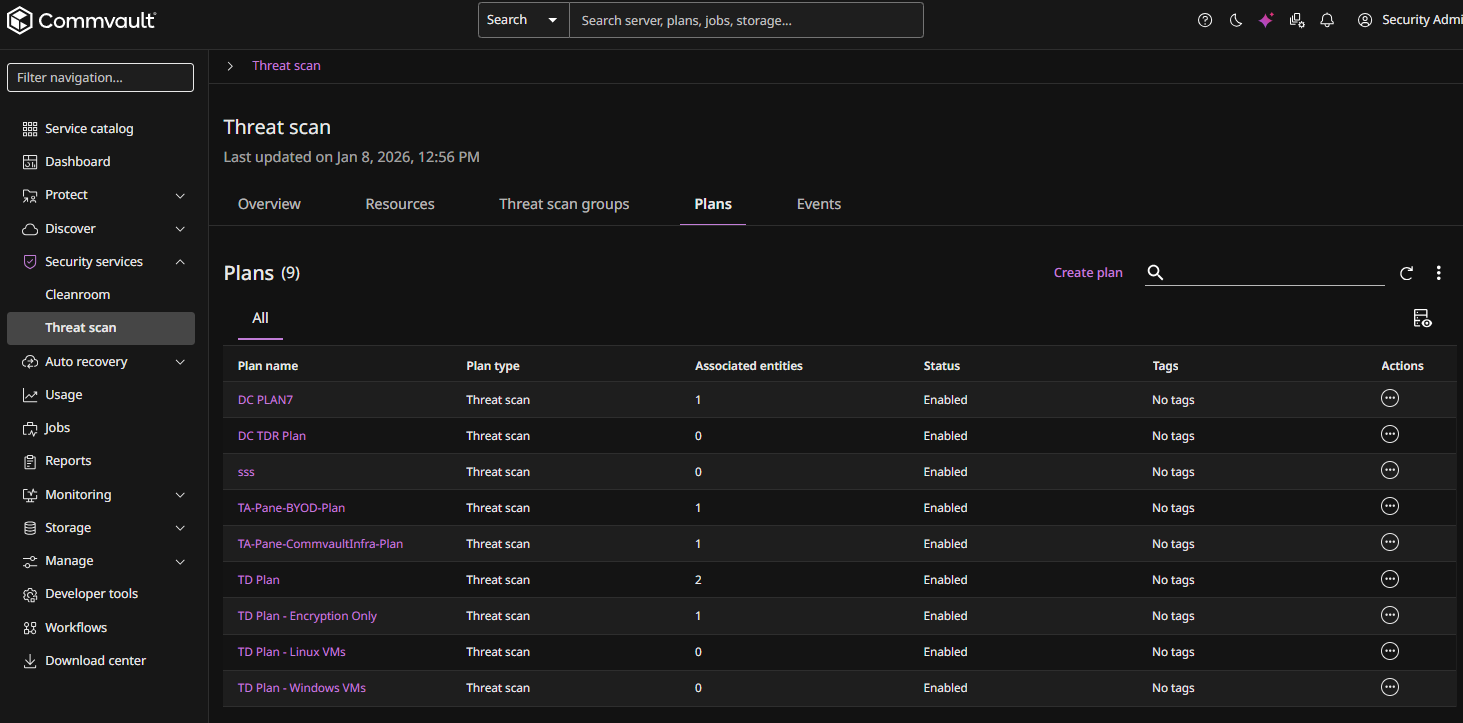
From the Command Center navigation pane, go to Security services > Threat scan.
The Threat Scan page appears.
The Plans tab shows all existing plans.
-
For the plan you want to delete, click the Actions button
 , and then select Delete.
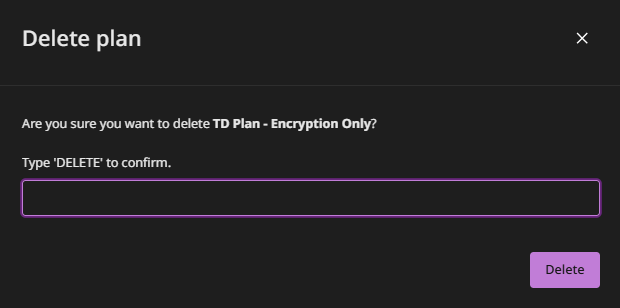
A confirmation dialog box appears.
-
Type the word "DELETE", and then click Delete.