After logging in to the Commvault Console, you can switch to a different region.
Procedure
-
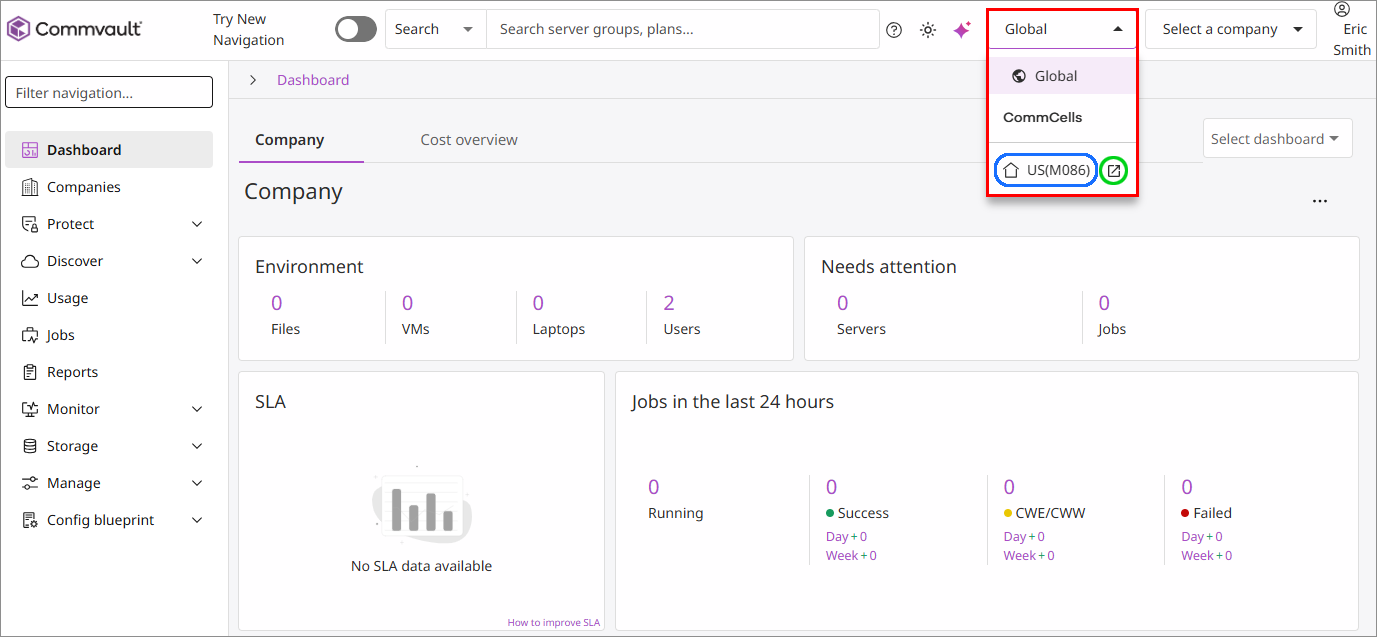
From the Commvault Console, click the CommCell list at the top of the page, as follows:
-
Do one of the following:
-
To switch to a different region in the same browser tab, click the name of the region (highlighted in blue, above).
-
To switch to a different region in a new tab, click the new tab icon (highlighted in green, above).
-
-
To return to the Global Command Center, click the CommCell list at the top of the page and then click Global.