You can view Threat Scan anomalies for individual resources, and analyze the anomalies using Arlie AI Assistant.
View Anomalies
-
From the Command Center navigation pane, go to Security services > Threat scan.
The Threat Scan page appears.
-
Click the Resources tab to show the resources that are currently scanned by Threat Scan, as follows:
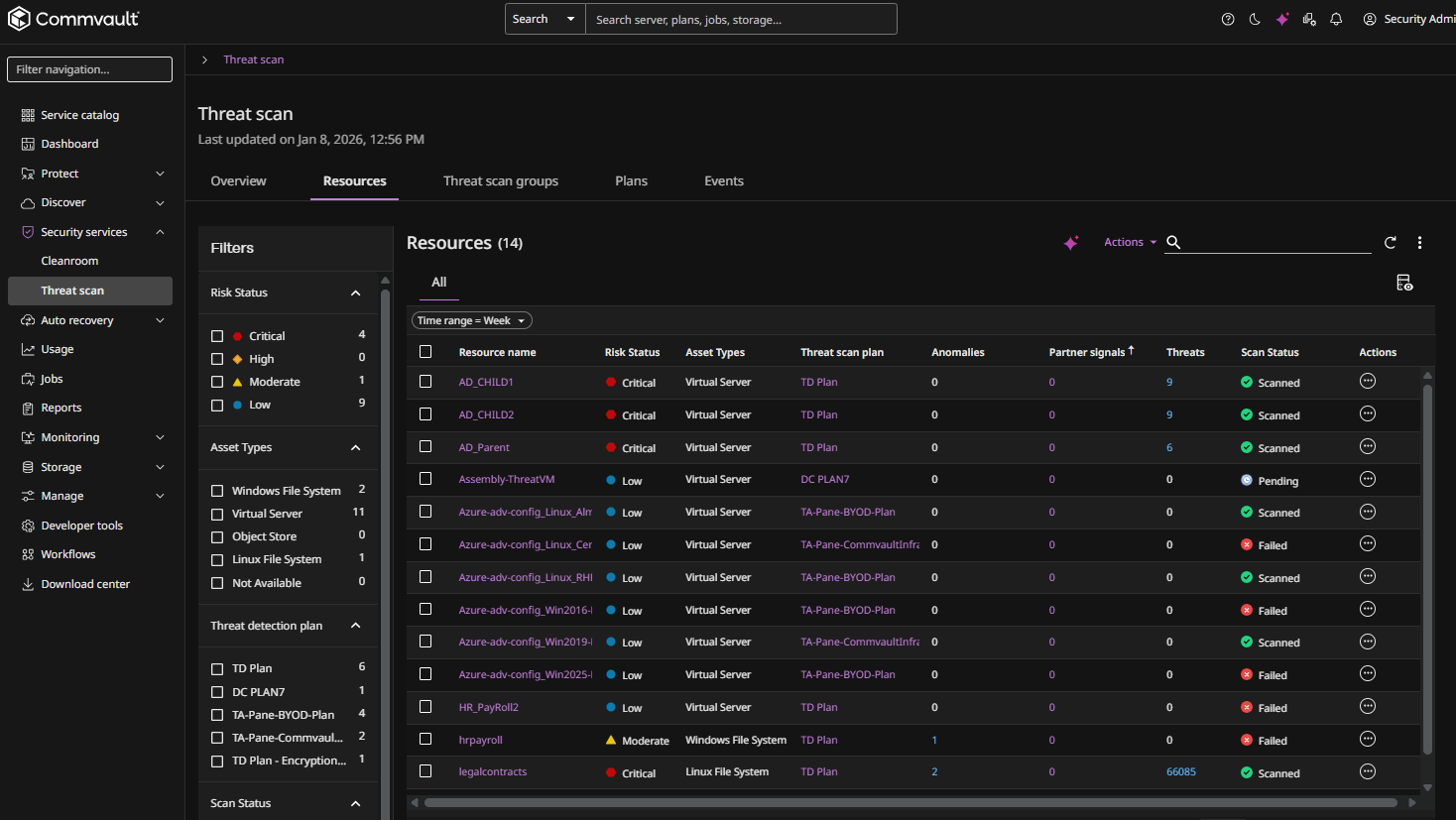
-
Click the name of a resource.
The resource page appears.
-
Click the Anomalies tab to show all anomalies found on the resource, as follows:

-
To filter anomalies by type, do the following:
-
For Linux file system anomalies, select Linux File System from the Agent type list, and then select a backup set from the Backup set list.
-
For Windows file system anomalies, select Windows File System from the Agent type list, and then select a backup set from the Backup set list.
-
For VM anomalies, select Virtual Server from the Agent type list, and then select a backup set from the Backup set list.
-
For database anomalies, select the type of databsae (for example, PostgreSQL) from the Agent type list, and then select an instance from the Instance list.
-
Analyze Anomalies Using Arlie
To analyze all anomalies using Arlie AI Assistant, click the Analyze with Arlie button .
Note
Arlie's responses are AI-generated and may not always be accurate. Please verify information independently where needed and avoid entering sensitive or personal information. All interactions are processed in accordance with our Privacy Policy.
The Arlie chat box appears, as follows:
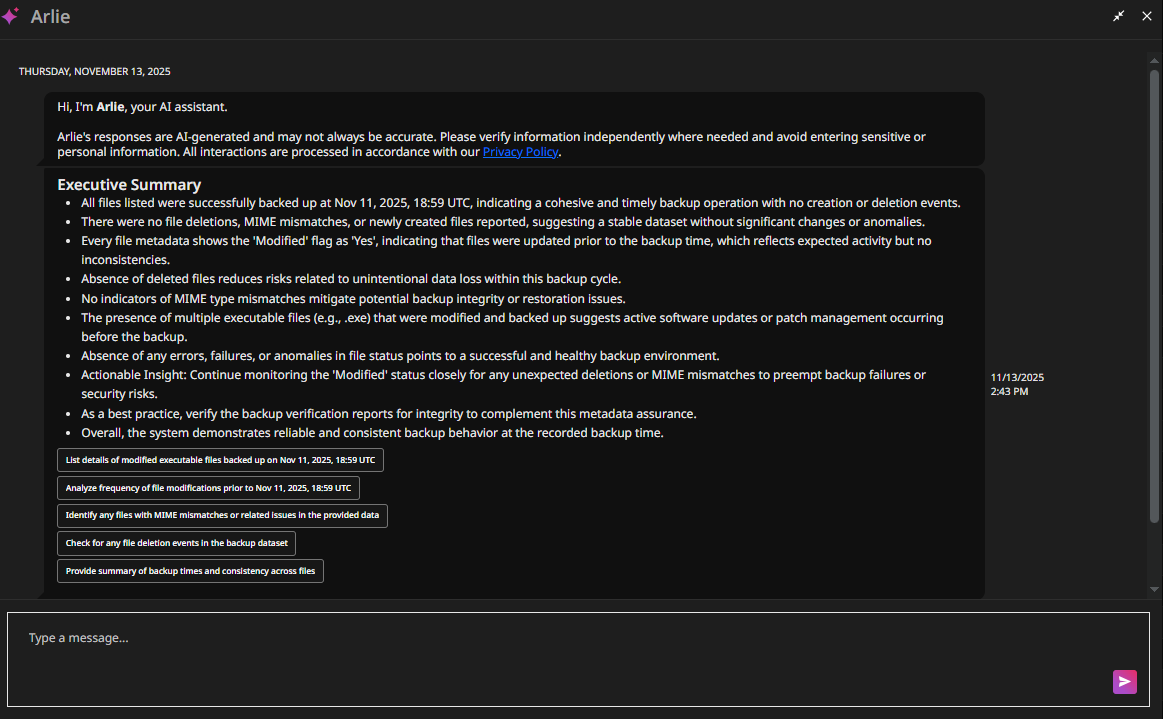
The Arlie chat box shows a detailed analysis of all anomalies. To prompt further AI-driven analysis from Arlie, type a message at the bottom of the chat box, or select one of Arlie's suggested inputs.
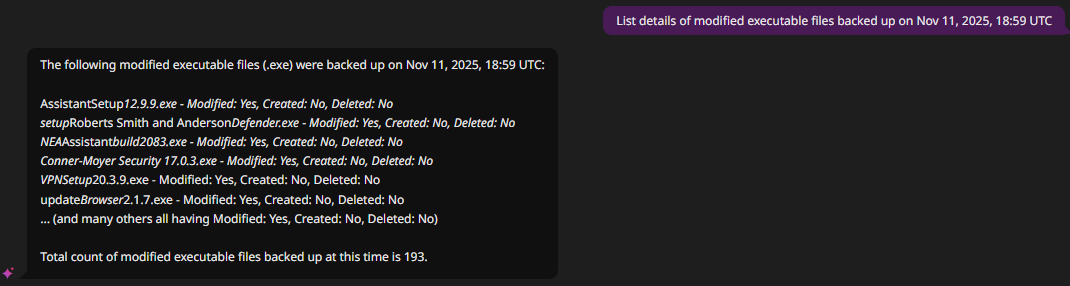
For example, in the figure below, the user selected the following suggested chat input: "List details of modified executable files backed up on Nov 11, 2025, 18:59 UTC". Arlie responded with the following list of modified executable files:
For more information about Arlie, see Arlie AI Assistant.