Use Classification Settings to review and manage the classifiers that Data Posture 360 uses to detect and classify information. Data Posture 360 provides out-of-box classifiers, and you can create custom classifiers for information specific to your organization.
Go to Classification settings
-
From the navigation pane, go to Secure > Data Posture 360.
-
Click the Scan Settings tab.
-
Click Classification Settings.
Review and manage classifiers
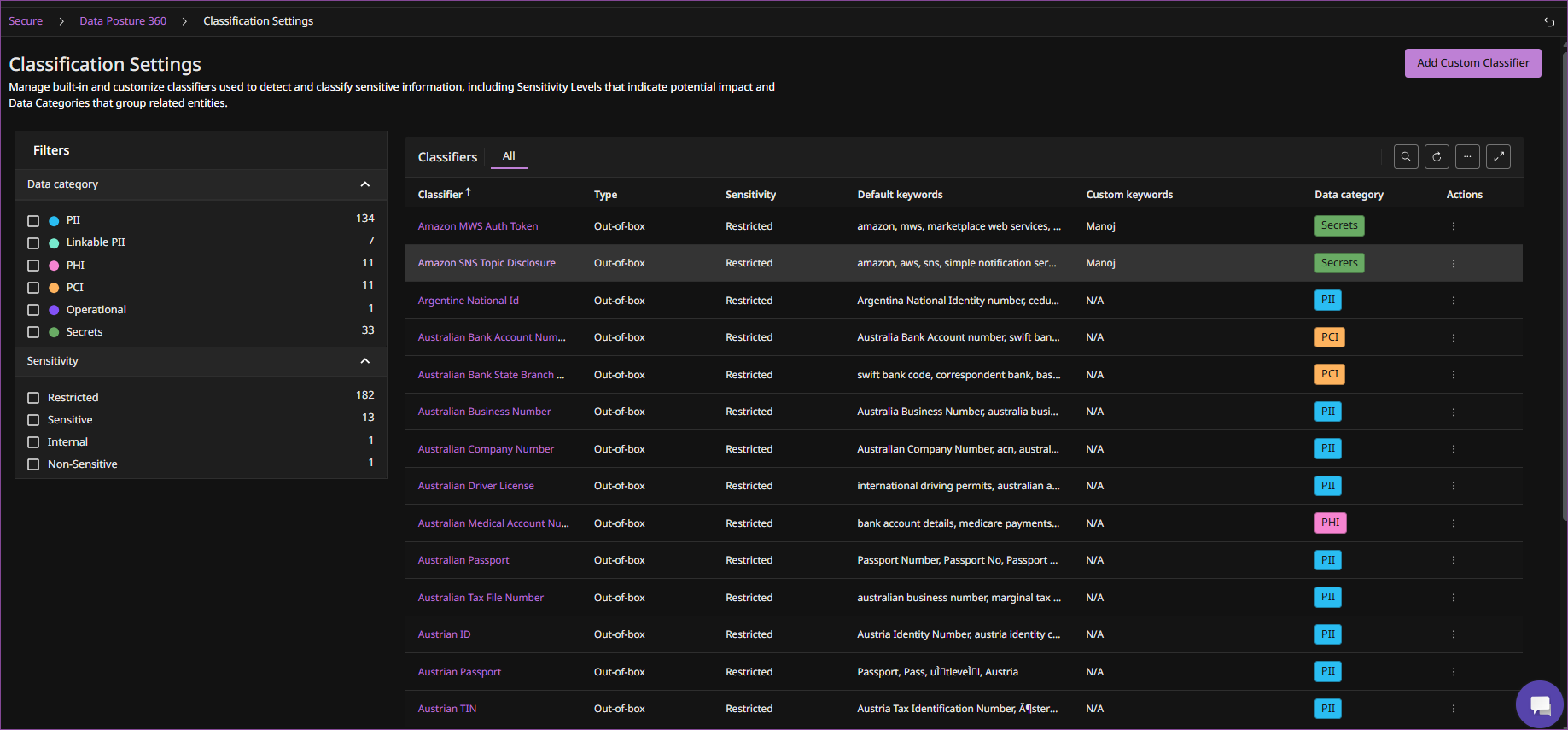
The Classification Settings page lists the out-of-box and custom classifiers available for Data Posture 360. You can review information such as the classifier type, sensitivity level, default and custom keywords, and data category.
Use the Data category and Sensitivity filters to find specific classifiers.
For information about data categories, sensitivity levels, and the available classifiers, see Classifiers and data categories in Data Posture 360.
Depending on the classifier type, you can perform the following actions:
| Classifier type | Available operations |
|---|---|
| Out-of-box | Edit, Enable/Disable |
| Custom | Edit, Enable/Disable, Delete |
To create a custom classifier, see Create a custom Data Posture 360 classifier.