Use the Data Posture 360 Overview dashboard to understand analysis coverage, sensitive data, risk, and policy violations across the analyzed resources.
From the navigation pane, go to Secure > Data Posture 360. The Overview tab displays the Data Posture 360 dashboard. To understand a widget in more detail, click View.
Review analysis results
Use the dashboard to review the following information.
Analysis coverage
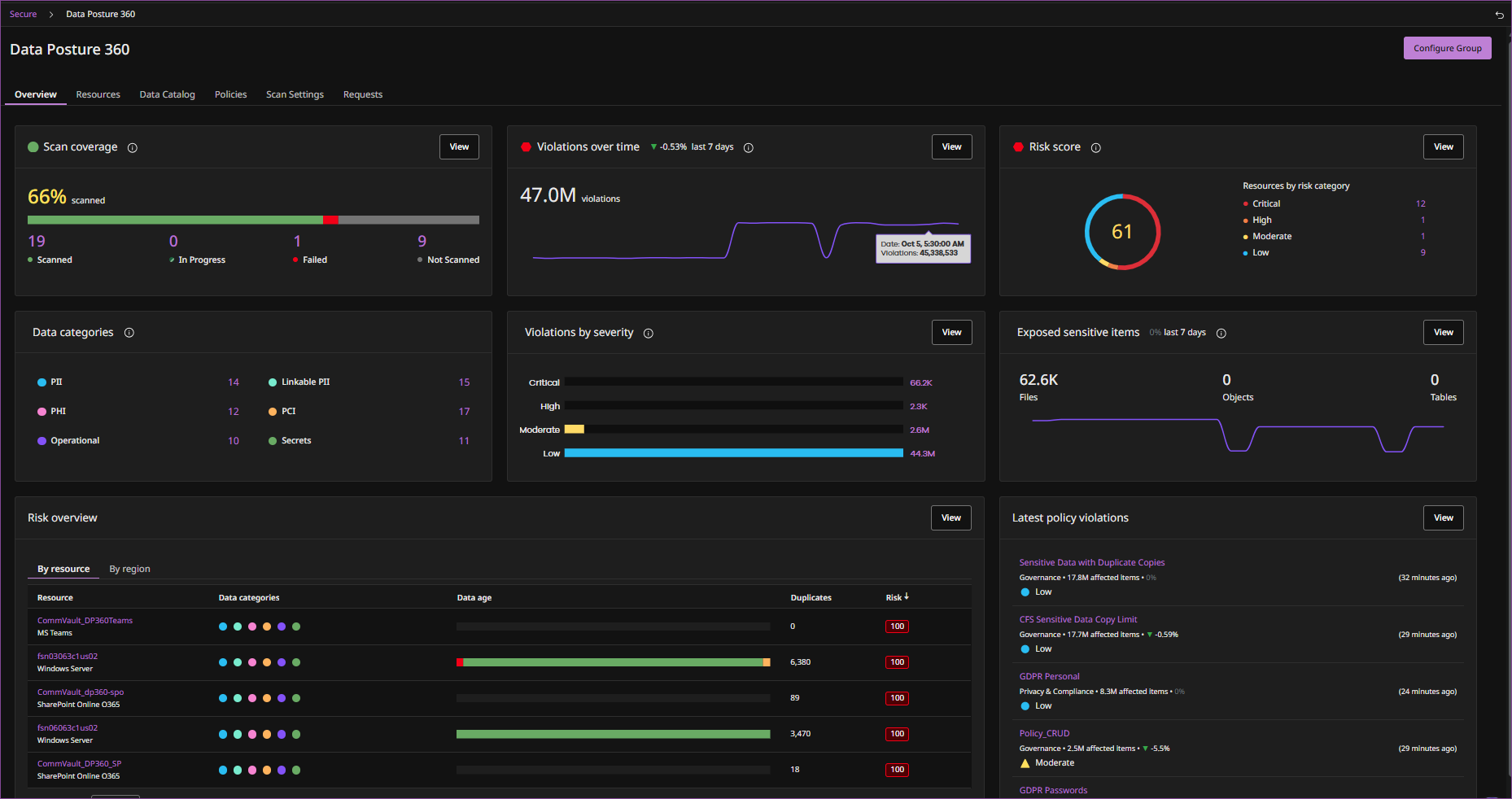
Scan coverage shows the percentage of resources that have been scanned and the number of resources that are not scanned, failed, in progress, or scanned.
Risk and sensitive data
-
Risk score shows the overall risk score and the number of resources by risk category, such as Critical risk, High risk, Moderate risk, and Low risk.
-
Data categories shows information about detected data categories, such as PII, Linkable PII, PHI, PCI, Operational, and Secrets.
-
Exposed sensitive items shows the number of publicly accessible sensitive items by type, such as files, objects, and tables, and the trend in exposed sensitive items.
-
Risk overview shows risk information for resources, including detected data categories, data age, duplicate data, and risk score. Use By resources and By regions to review risk information by resource or region.
Policy violations
-
Violations over time shows the number of policy violations and the trend in violations over time.
-
Violations by severity shows the number of policy violations by severity.
-
Latest policy violations shows recently detected policy violations, including the policy, policy category, number of affected items, severity, and when the violation was detected.