After Data Posture 360 analyzes your resources, review policy violations to identify data that meets the conditions defined by built-in or custom policies. You can review violations by policy and resource, and initiate remediation for data that requires action.
Review policy violations
-
From the navigation pane, go to Secure > Data Posture 360.
-
Click the Policies tab.
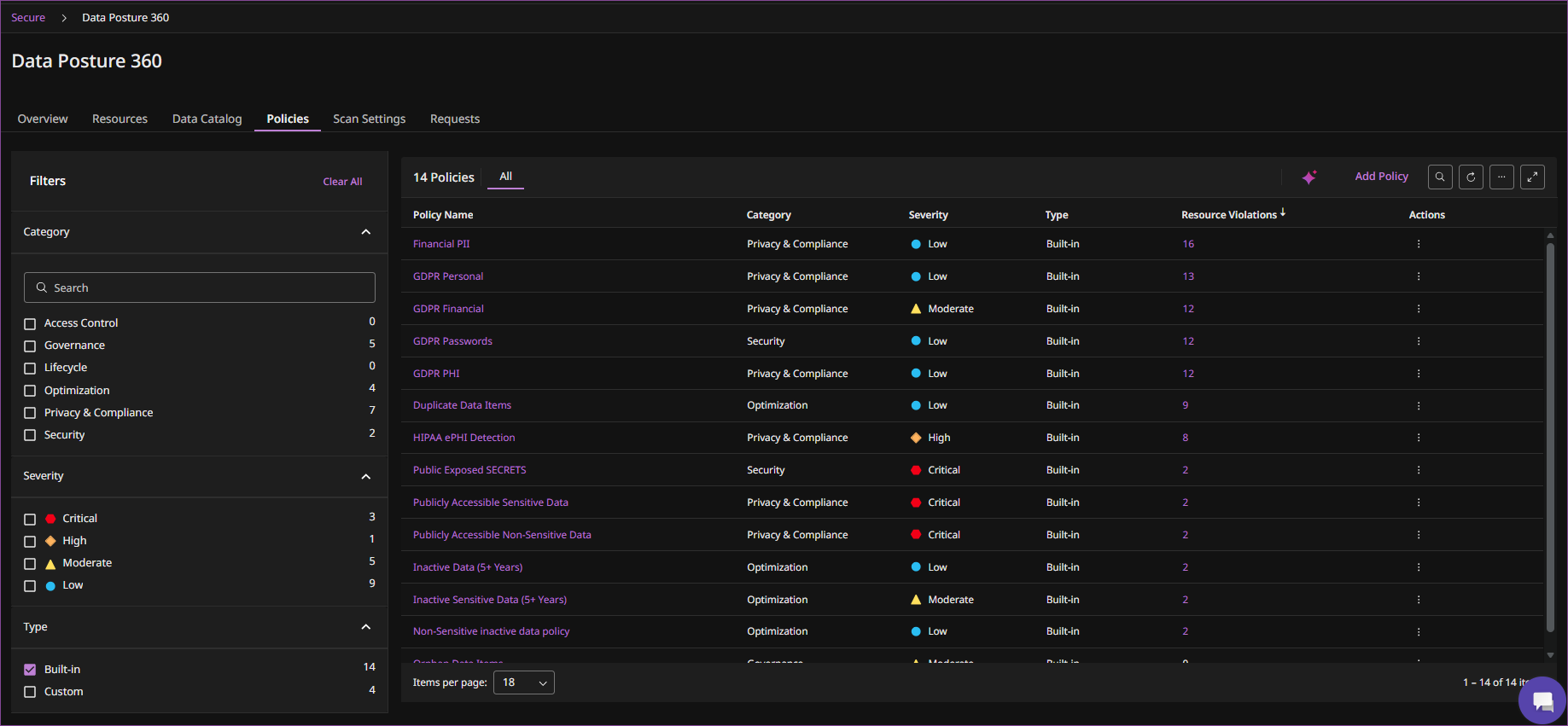
The Policies tab lists built-in and custom policies and displays information such as the severity, category, and number of resource violations for each policy.
For information about the built-in policies and the risks that they identify, see Data Posture 360 policies.
-
To narrow the displayed policies, use the filters for Category, Severity, or Type.
-
To investigate violations for a policy, click the policy name or the count in the Resource violations column.
The policy violations screen displays the resources that violate the policy and the files detected for each resource.
-
Select a resource to review the files associated with the policy violation.
Review details for a built-in policy
For a built-in policy, you can review additional information about the policy.
-
From the actions menu for the policy, click Details.
The policy details pane displays information such as the category, severity, type, number of resource violations, description, year limit, and guidance.
-
To change the severity of the policy, modify the Severity level.
Remediate data that violates a policy
You can initiate remediation for files associated with a policy violation.
-
On the Policies tab, click the resource or resource violations count to view the files that you want to remediate.
-
Select one or more files, and then Remediate > Delete.
-
Configure the following options:
-
File options: Select whether to delete only the selected files or all files in the current scope.
-
Delete from backup: Enable this option to delete data from backup.
-
Request name: Enter a name for the remediation request.
-
Reviewers: Select the users who will review the request.
-
Approvers: Select the users who will approve the request.
-
-
Click Delete to submit the remediation request.
To track and review remediation requests, see Manage Data Posture 360 remediation requests.