You can perform cross-subscription recovery to restore configuration assemblies across different subscriptions within the same Azure tenant.
Cross-subscription recovery facilitates both same-region and cross-region recovery for entire assemblies as well as selected resource groups.
Note
Cross-subscription recovery is available only for configuration-only assemblies.
Prerequisites
-
Verify that an Azure Cloud Assembly is configured with required resources and at least one timeline is available.
-
Verify that an Azure cloud connection is established in the same Azure tenant but with a different subscription and has necessary write permissions (Contributor access).
Perform Cross-Subscription Recovery
-
Go to the Azure Cloud Assembly.
-
On the Timeline tab, click the timeline that you want to recover in a different subscription.
-
In the upper-right corner, click Recover.
-
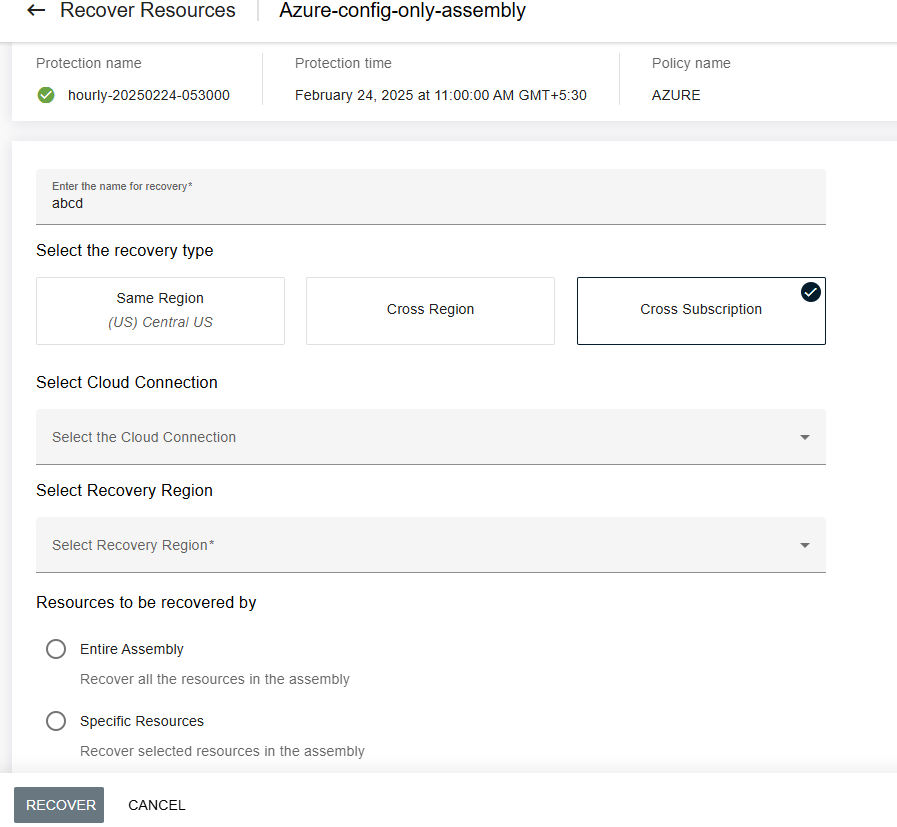
Enter a recovery name.
-
For Select the recovery type, select Cross Region Recovery" as the recovery type**.
-
From the Select Cloud Connection list, select the Cloud Connection corresponding to the target subscription ID.
-
From the Recovery Region list, select the recovery region available in the cloud connection.
-
For Resources to be recovered by, either select Entire Assembly or Specific Resources.
-
Leave remaining options to their default values.
-
click Recover.
Results
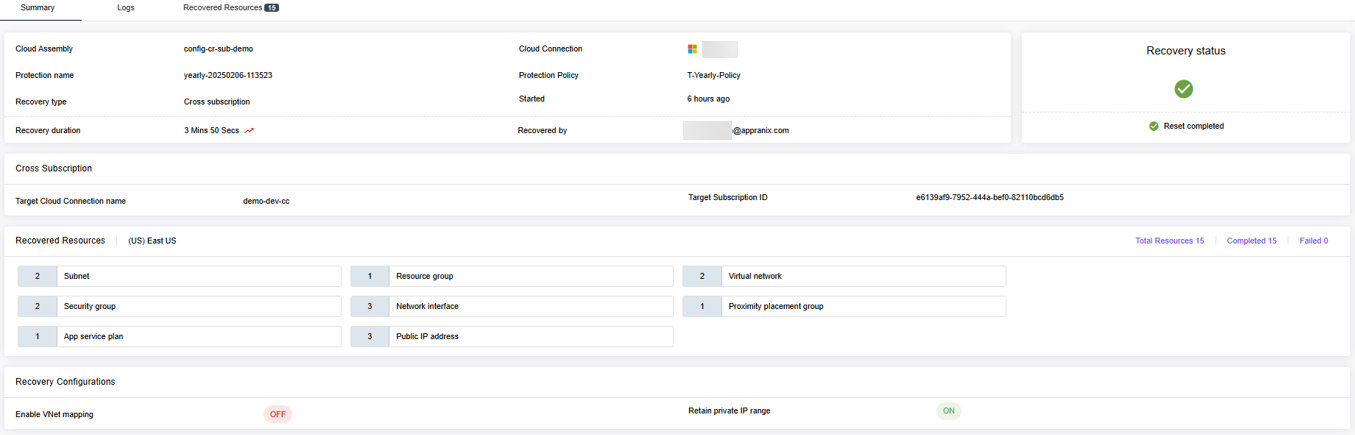
Upon successful completion of recovery, the configured resources will be recovered in the subscription that you selected.