Follow the steps given below to perform the first backup:
-
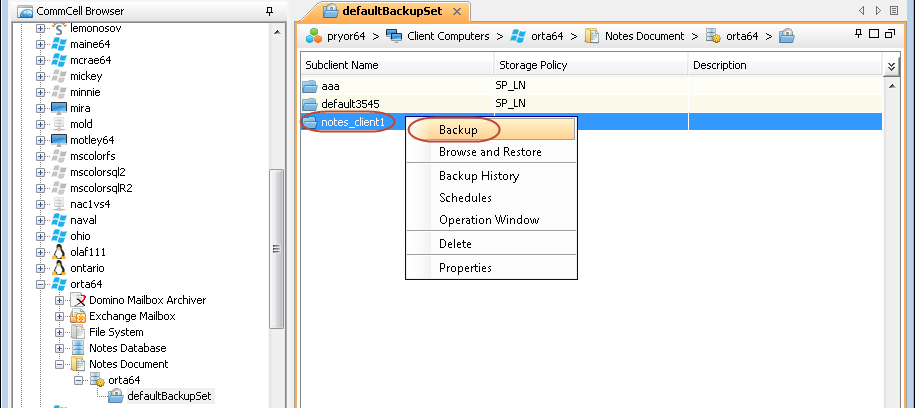
From the CommCell Console navigate to Client Computers | <Client> | Notes Document.
In the right-pane, right-click the <Subclient> and click Backup.
-
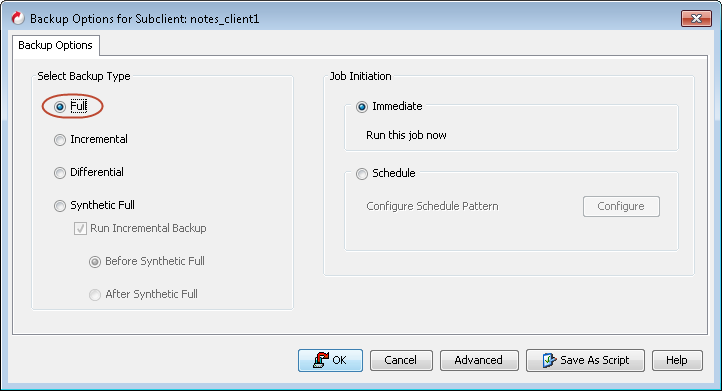
Ensure under Select Backup Type, Full is selected.
Under Job Initiation, Immediate is selected.
Click Ok.
-
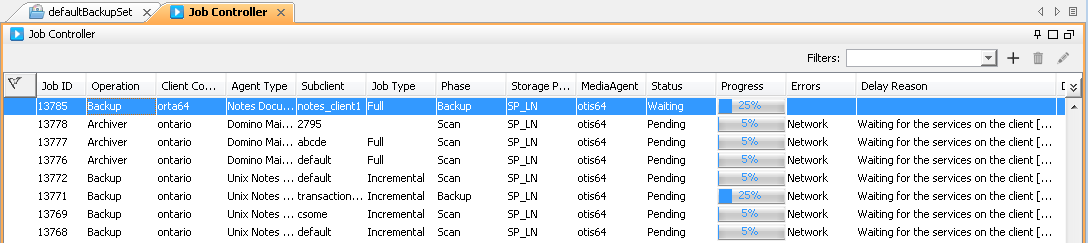
In the Job Controller tab, track the process of your backup job.
Wait until the job has completed before you perform the next steps.
-
In the defaultBackupSet tab, right-click <Subclient>, and then click Backup History.
 \
\ -
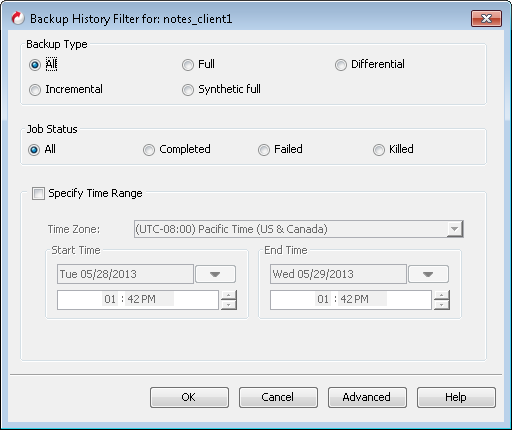
In the Backup History Filter dialog box, click OK.
-
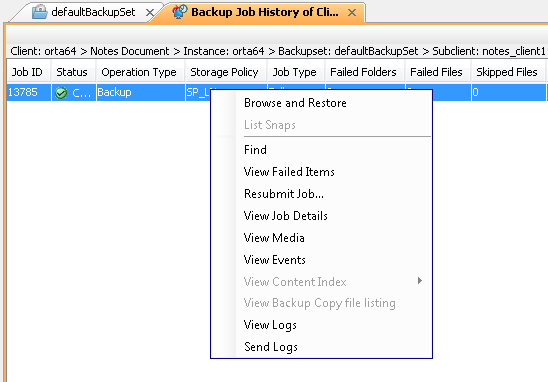
In the Backup History tab, right-click the backup job to view the following job details:
-
Items that failed during the job
-
Items that succeeded during the job
-
Details of the job
-
Events of the job
-
Log files of the job
-
Media associated with the job
-