Initially, the user credentials is provided during the Agent installation. You can subsequently change the user account at the Instance level.
Use the following steps to change the Informix user name:
-
From the CommCell Browser, navigate to Client Computers |<Client> |Informix.
-
Right-click the <Instance> and click Properties.
-
On Windows clients:
-
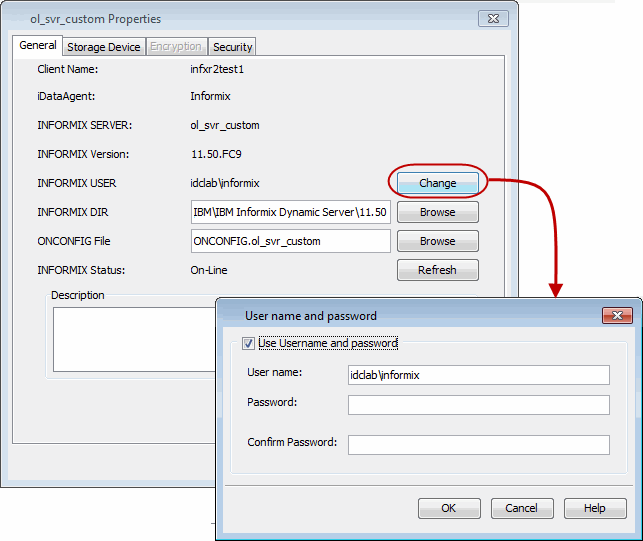
Click Change.
-
In the User Name box, type the user account name.
-
In the Password box, type the password for the user account.
-
In the Confirm Password box, retype the password, and then click OK.
-
-
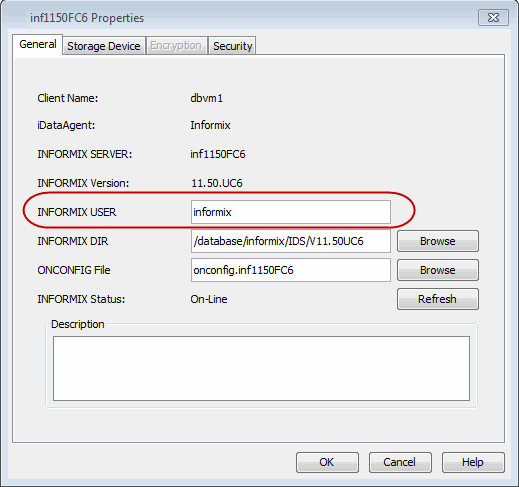
On Unix clients, in the Informix USER box, type the user account to access the Informix application.
-
Click OK.