The Threat Analysis Report for Virtual Server Agent summarizes the list of files containing anomalies on the latest backup cycle for a virtual machine.
For more information about Threat Analysis, see Threat Analysis for Virtual Server Agent.
Procedure
-
From the navigation pane in the Command Center, click Monitoring > Threat Indicators.
The Threat Indicators dashboard appears.
-
Click the Threat analysis tab.
A list appears, showing clients and subclients that contain infected files.
-
To view the report, click the name of the client or subclient for which you want to view the report.
The report appears.
Report Description
The Threat Analysis Report is divided into the following sections: Threat Analysis charts and File Information table.
Note
To remove the client that has unusual file activity from the client list, click Clear anomaly in the upper right corner of the Threat Analysis Report.
Threat Analysis Charts
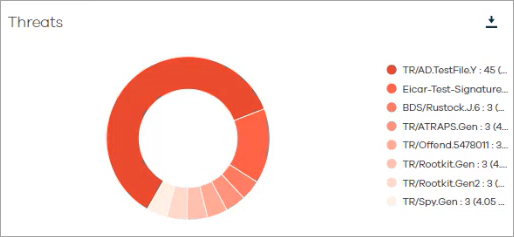
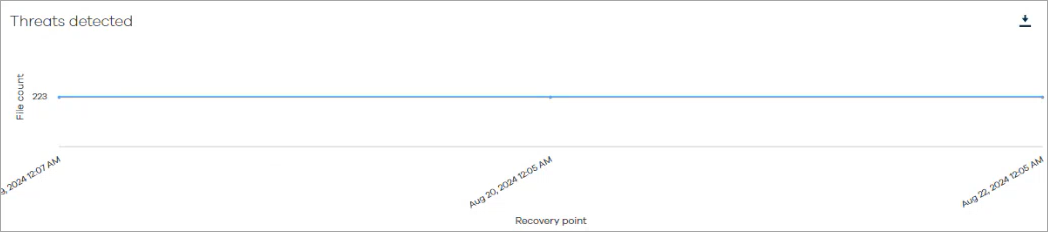
The Threat Analysis charts display the infected files in the selected client for a specified time range.
The following images are examples of the threat analysis charts:
File Information Table
The following image is an example of the File Information table:
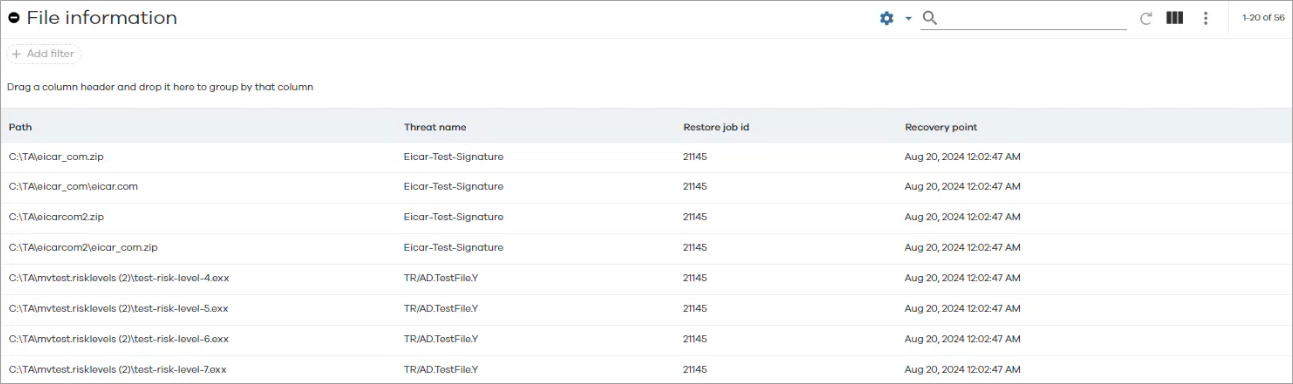
The following table includes descriptions for all the columns in the File Information table for Threat Analysis.
|
Column |
Description |
|---|---|
|
Path |
The path to the folder that contains the backed up file. |
|
Threat name |
The name of the threat, |
|
Restore job id |
The ID of the restore job that restored the file. |
|
Recovery point |
The time at which the VM was restored. |
Note
To view the file grid information on the Threat Analysis details page, the user must have browse permissions. Otherwise, the user can view only the graph, not the file grid, with the affected files and their paths.