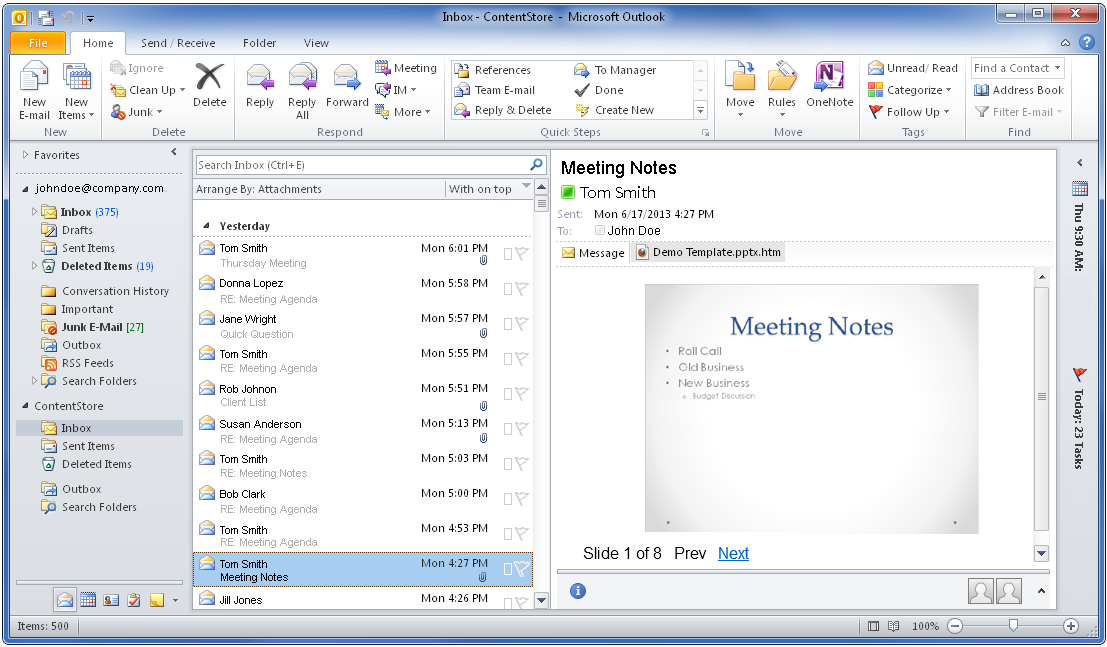
Previews of attachments to archived messages in the ContentStore are displayed in HTML format. You can preview archived message attachments in Microsoft Outlook with the ContentStore Email Viewer.
Previewing Attachments in the ContentStore Email Viewer - Procedure
-
From Microsoft Outlook, expand the ContentStore node and go to the folder you want to view.
-
Click the archived message that has the attachment you want to preview.
The contents of the selected message appears in the preview pane.
-
In the preview pane under the recipients list, click the attachment file attachment name.htm.
-
Read the warning message, and then click Preview file to preview the attachment.
A preview of the attachment in HTML format appears in the preview pane.