The Active Directory - Standard Usage Report displays information about the number of unique Active Directory and Azure Active Directory users your company backed up during the indicated time period. You can view current usage for the current month and peak usage for the current month and the previous 3, 6, or 9 months.
Month to Date Usage Chart
-
Current: The Current view of the Month to Date Usage chart displays the exact number of unique Active Directory users protected as of the previous day. For example, if you view the chart on March 20, you can view data up to March 19.
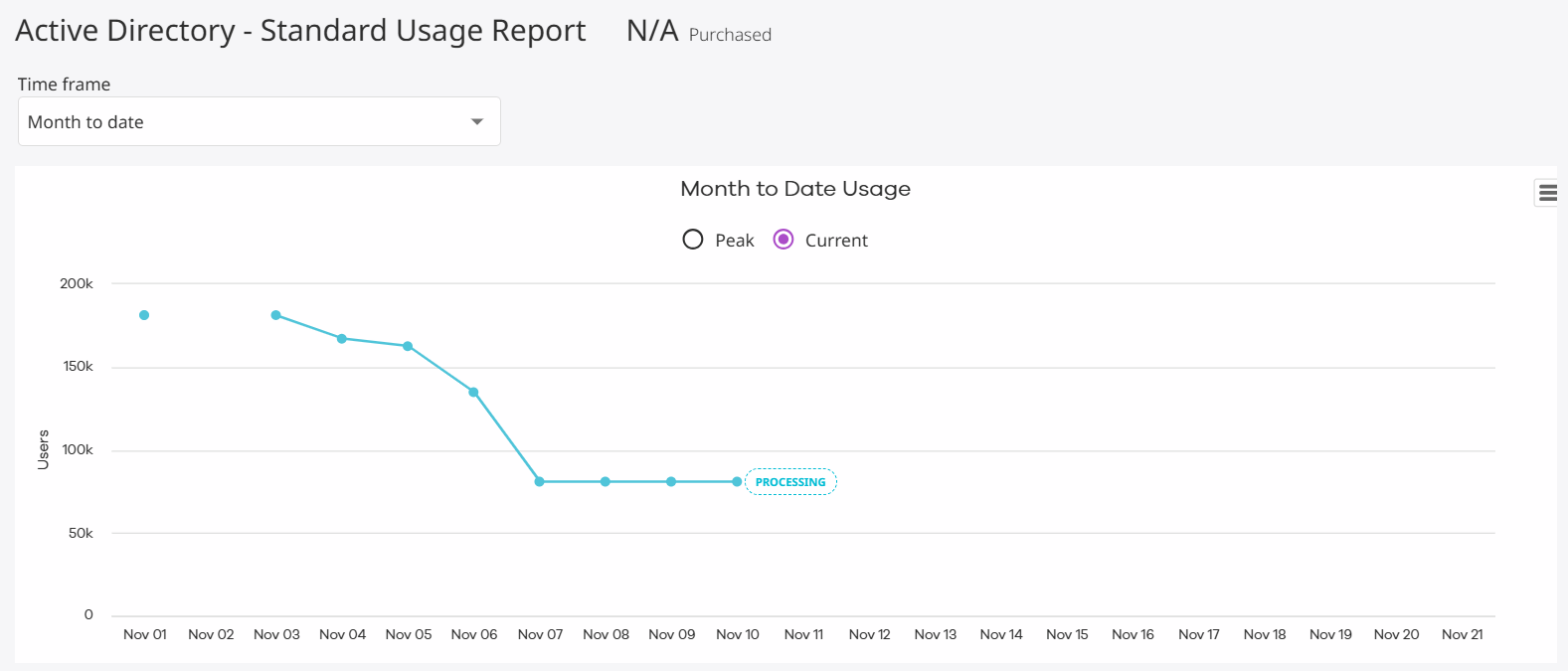
-
Peak: The Peak view of the Month to Date Usage chart displays the largest number of unique Active Directory users protected up to the previous day.
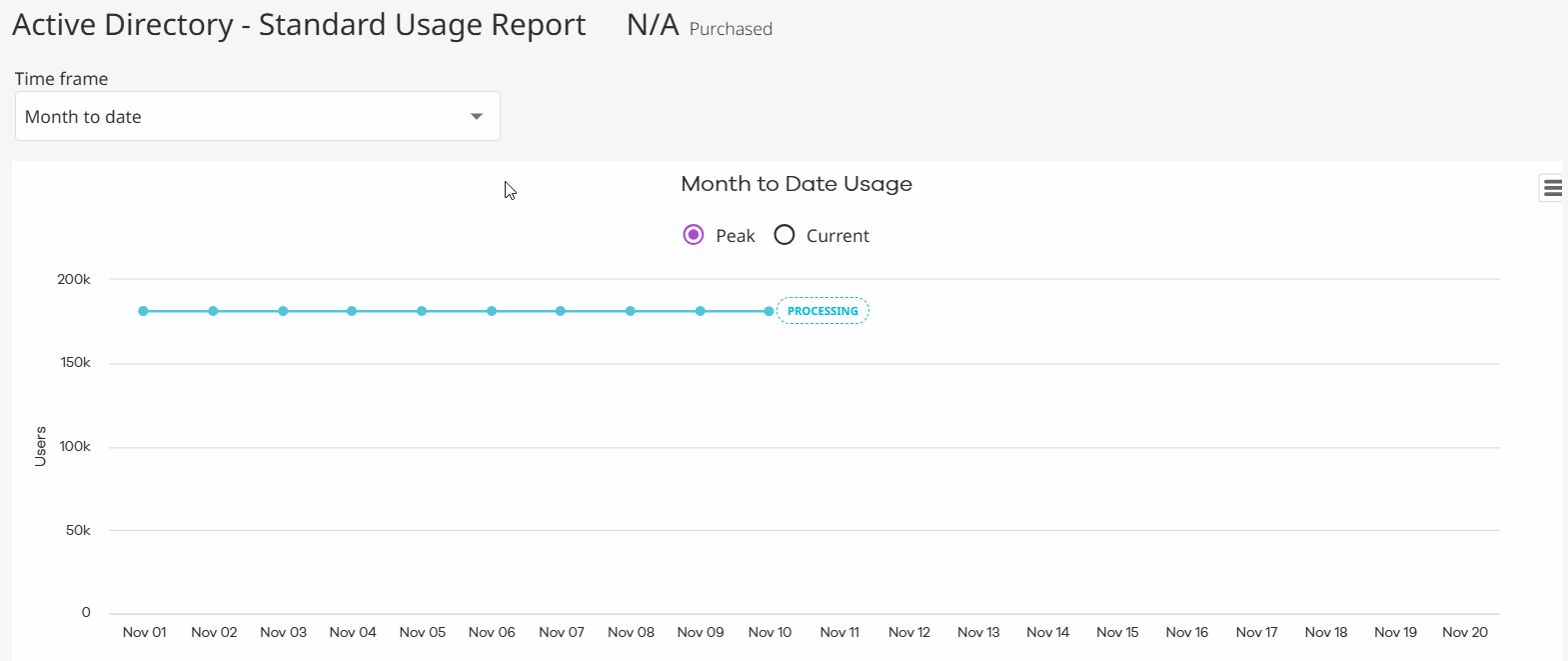
Last 3 Months Peak Usage Chart
The Last 3 Months Peak Usage chart displays the highest number of unique Active Directory users protected over the past 3 months up to the previous day. For example, if you view the chart on March 20, you can view data for January, February, and March up to the 19th.
Last 6 Months Peak Usage Chart
The Last 6 Months Peak Usage chart displays the highest number of unique Active Directory users protected over the past 6 months up to the previous day. For example, if you view the chart on March 20, you can view data for September through March up to the 19th.
Last 9 Months Peak Usage Chart
The Last 9 Months Peak Usage chart displays the highest number of unique Active Directory users protected over the past 9 months up to the previous day. For example, if you view the chart on March 20, you can view data for June through March up to the 19th.
User Count Tiles
The totals displayed in the User Count Tiles update dynamically based on the Time Frame you select at the top of the report.
-
Total Users: The total number of unique Active Directory users protected during the selected time period, up to the previous day. Only users protected through Active Directory are included.
-
Total Active Directory Users: The total number of unique users with Active Directory protection enabled during the selected time period, up to the previous day. System or service accounts that are not directly protected are excluded from this count.
Monthly Usage
The Monthly Usage table lists each unique Active Directory user account protected during the current month.
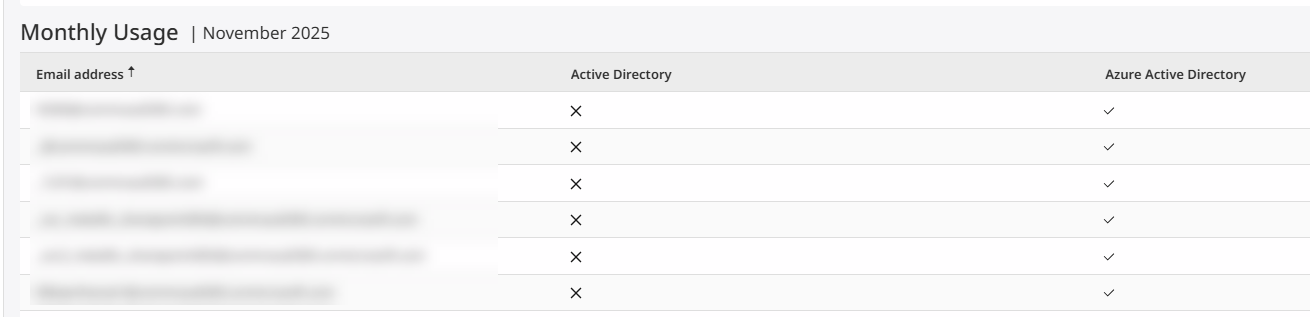
You can optionally configure or export the Monthly Usage data using the following options:
-
To hide columns, click the Column button
 , clear the columns that you want to hide, and then click Save.
 -
To export data, click the Export button
 , select the export file format, and then save the file to your local computer.
 -
To reload the chart so that it includes the most recent data, click Reload data
 .
.
Reducing Active Directory Usage
To reduce your Active Directory subscription usage, do the following:
-
Disable inactive Active Directory user accounts.
-
Remove one or more Active Directory domains or Active Directory tenants from your backup content.