You can export messages to CAB format. When you export a file, a restore job runs in the background and then saves the CAB file in the Commvault Cloud storage. Export files are saved for a week, and then deleted. Only you can see the export files that you create.
Procedure
-
From the Command Center navigation pane, go to Protect > Microsoft 365.
The Microsoft 365 Overview page appears.
-
On the Self-service dashboard, in the OneDrive for Business section, click Restore.
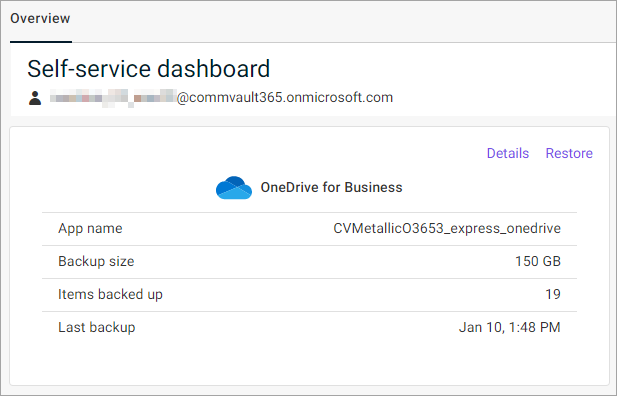
The file selection page appears.
-
From the list, select the files and folders you want to export.
-
At the upper-left area of the page, click Export.
The Export options dialog box appears.
-
In the Export Name box, enter a name for the export file.
-
To retain the hierarchy of the files and folders you want to export, select Retain folder hierarchy.
-
Click Export.
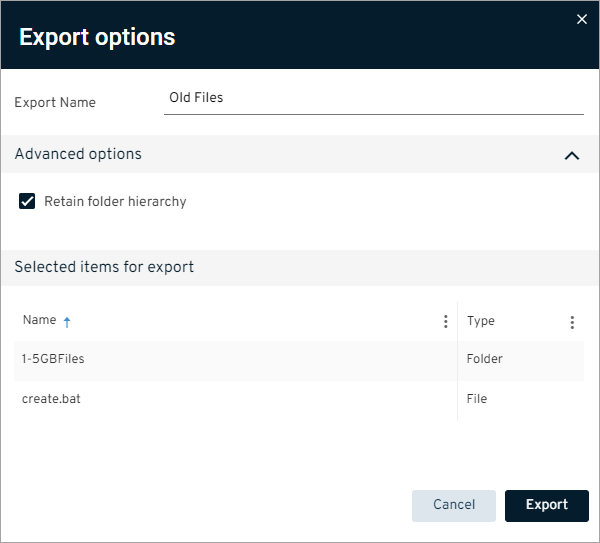
The file is saved to the Commvault Cloud storage.
-
To download the file, at the upper-right area of the page, click View exports.
The Exports dialog box appears.
-
From the list, select the file you created, then click the action button
 , and select Download.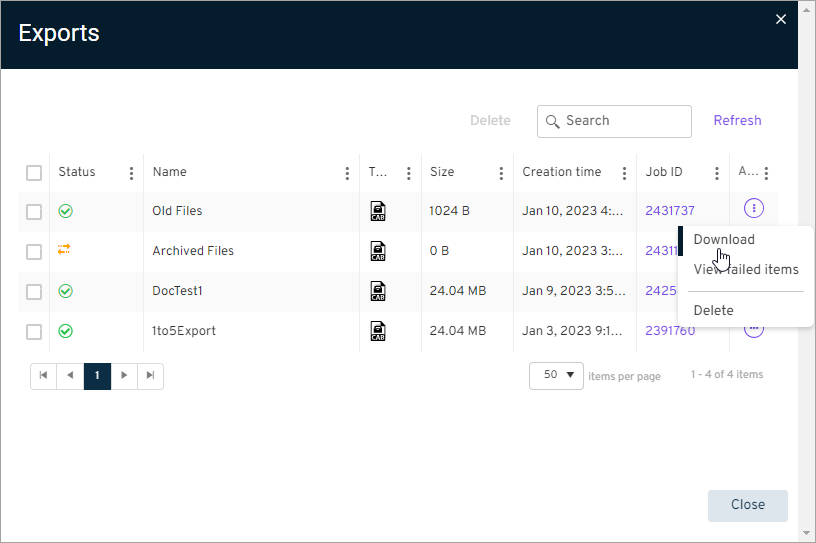
The file is saved to the location you specify.