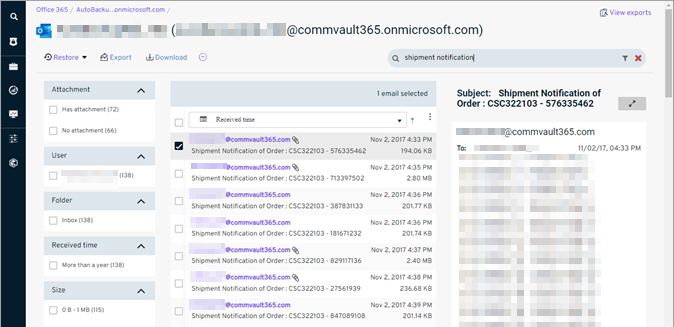
You can preview email messages and some attachments that were archived from your Exchange Online mailbox. This operation can help you download, export, or restore the correct messages.
Procedure
-
From the Command Center navigation pane, go to Protect > Microsoft 365.
The Microsoft 365 Overview page appears.
-
Click the user account in the upper-right area, and then go to View > Self-service view.
The Self-service dashboard appears.
-
On the Self-service dashboard, in the Exchange Online section, click Restore.
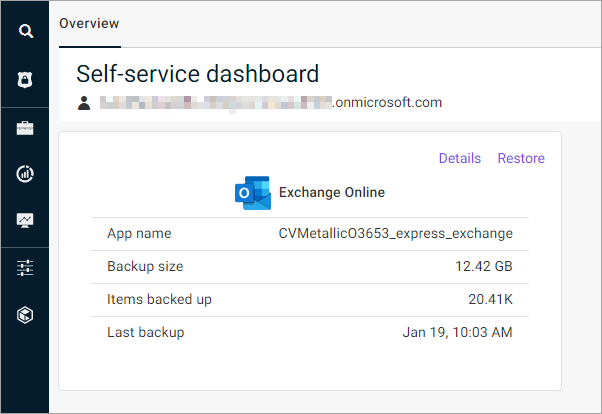
The message selection page appears.
-
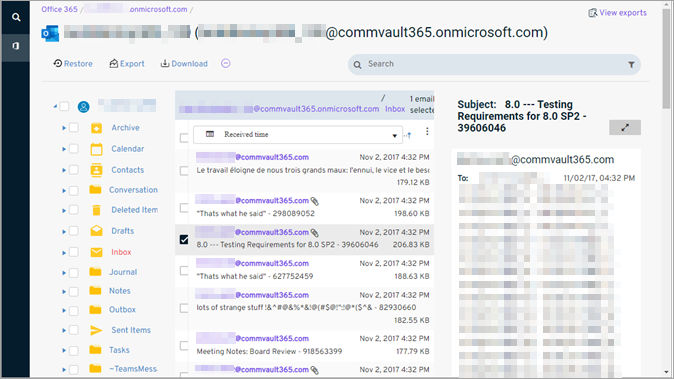
From the email list, select a message.
In the right pane, a preview of the message appears.
-
To view an attachment, in the message preview, beside Attachments, click the link for the file.

A dialog box appears that contains a preview of the attached file.
-
To find a specific email, in the upper-left area of the page, in the Search box, enter any keywords that are related to the email, and then press Enter.