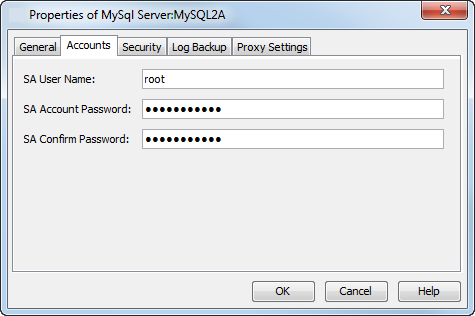
The MySQL agent requires a MySQL Server user account that has sufficient privileges for the software to:
-
Perform backups and restores
-
Access the MySQL Server application
-
Stop or start the MySQL Server services
The following table illustrates the necessary privileges the user account should have to perform backup and restore operations:
|
Operations |
Privileges MySQL User Should Have |
Example Query to Grant the Permission |
|
Backup |
|
|
|
Restore |
Full Database Administrator privileges |
mysql> GRANT ALL PRIVILEGES ON *.* TO '<restore_agent_user>'@'localhost' IDENTIFIED BY '<restore_agent_password>'; |
Initially, the user account credentials is provided during the instance configuration after the installation of the Agent. You can change the user account at the instance level.
-
From the CommCell Browser, navigate to Client Computers > client > MySQL.
-
Right-click the instance, and then click Properties.
The Properties of MySql Server dialog box appears.
-
To update the user account information, on the Accounts tab, complete one of the following steps:
-
For Windows,
-
To enter the SA User Name, click Change. Enter the MySQL user name and password.
-
To enter the NT UserName, click Change. Enter the Windows user name and password.
-
-
For Linux,
-
To enter the SA User Name, click Change. Enter the MySQL user name and password.
-
To enter the UNIX UserName, type the Linux user name.
-
-
-
Click OK.