Cycle retention is not honored on selective online jobs that complete with errors. The job gets pruned after the configured storage policy retention (the Basic Retention Rule for All Backups on the Retention tab of the Storage Policy Properties dialog) expires.
To apply extended retention rules to these jobs, exclude jobs that completed with errors during extended retention calculations. This option is applicable only for Selective Online full backup jobs.
-
From the CommCell Console, click the Storage tab.
-
Click the Media Management icon.
-
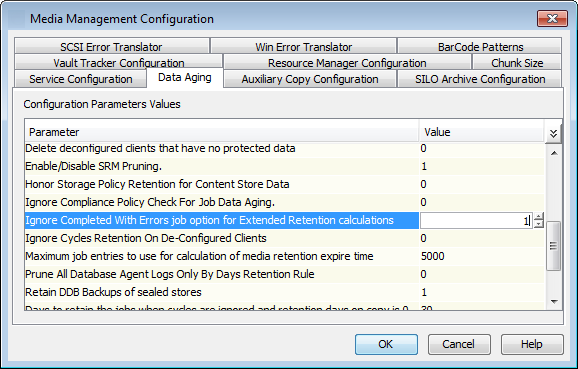
Click the Data Aging tab.
-
Change the value for the Ignore Completed With Errors job option for Extended Retention calculations option from 1 to 0.
-
Click OK.
For more information, see Data Aging - Advanced.