How can a lost mount path be skipped while running a data verification job?
The data verification will not run successfully if a mount path is lost. If a mount path is lost, you can delete the mount path. For instructions, see Deleting a Disk Mount Path and Deleting a Cloud Mount Path.
Why am I getting the “Alert Data Verification Failure Detected” alert?
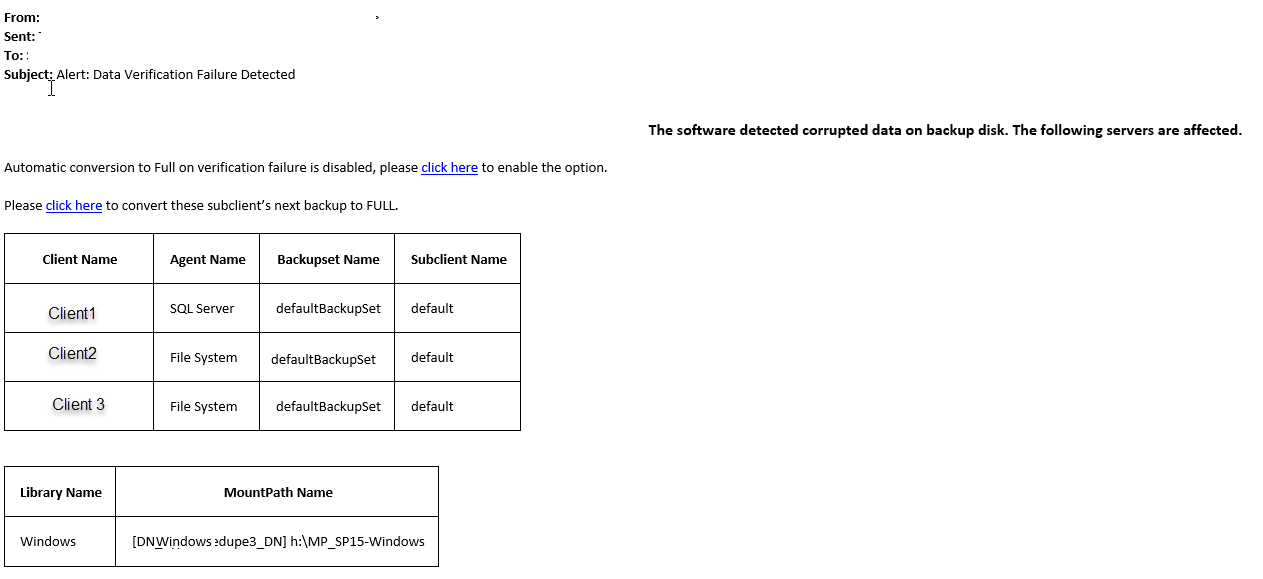
The data verification job flags the backup jobs with a 'verification failed' status when it encounters data read failures such as Sfile corruption, data chunk corruption or missing data chunks. Therefore, to avoid losing data, if there are jobs flagged with 'verification failed' status on a primary copy for the last backup cycle, then the system automatically generates the Alert Data Verification Failure Detected alert and sends it to the system administrator. By default, the backup jobs are verified every 24 hours and an alert is sent every 24 hours if the data verification job flags the backup jobs with any data read failures.
From the generated alert, you can choose from the following data protection options:
-
To automatically convert the next backup to a full backup if the subclients listed in the alert fail data verification, select the Automatic conversion to Full on verification failure is disabled, please click here to enable the option.
-
To convert the next backup to a full backup for the list of subclients mentioned in the alert, select the Please click here to convert these subclient’s next backup to Full option.
The following is an example of the alert mail that is sent to the administrator: