In the Backup Job Summary Report, you can view aged jobs, media-deleted jobs, and backup copy jobs, along with regular jobs.
Procedure
-
In the CommCell Console, click the Reports tab, and then click the Summary button.
The Report Selection dialog box appears.
-
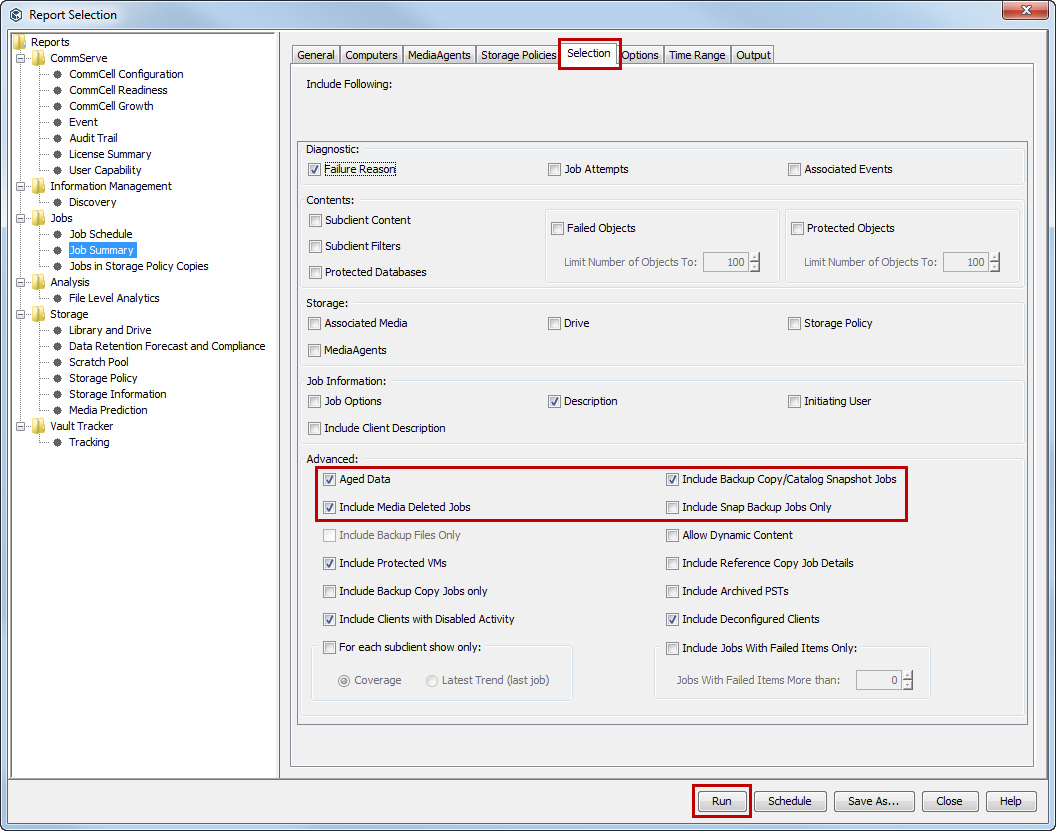
Under Reports, select Job Summary.
-
On the General tab, click Data Management, and then click Backup
-
Click the Selection tab.
-
Under Advanced, select any of the following options:
-
Aged Data
-
Include Media Deleted Jobs
-
Include Backup Copy Jobs
-
-
Click Run.
The report appears in the output format that you specified.