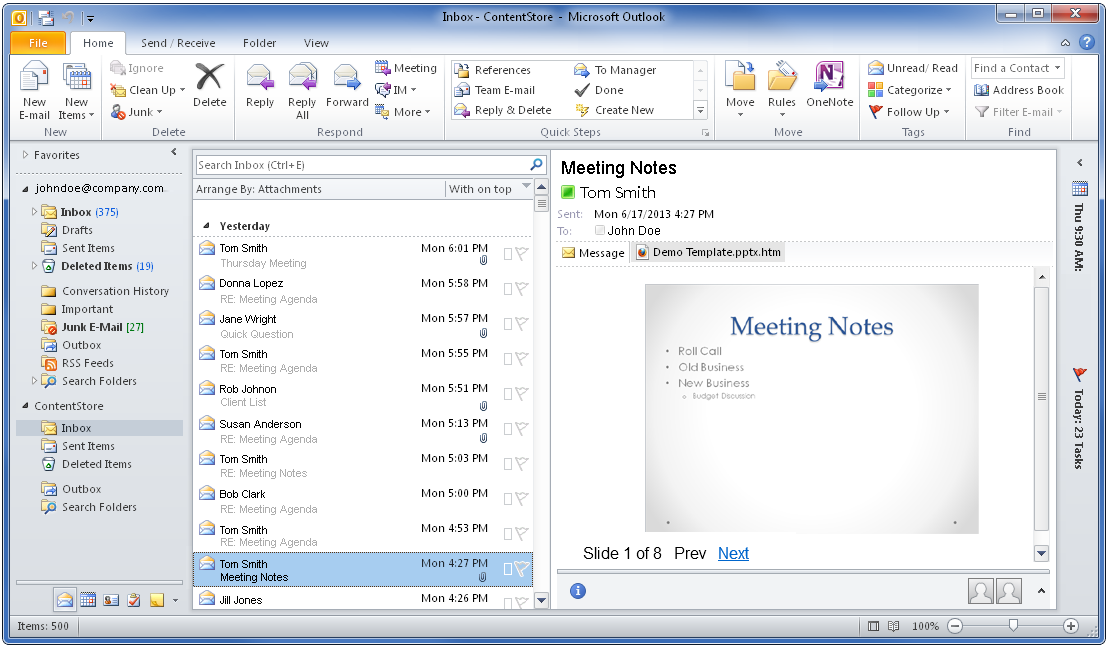
Previews of attachments to archived messages in the ContentStore are displayed in HTML format. You can preview archived message attachments in Microsoft Outlook with the ContentStore Email Viewer.
Procedure
-
From Microsoft Outlook, expand the ContentStore node and go to the folder you want to view.
-
Click the archived message that has the attachment you want to preview.
The contents of the selected message appears in the preview pane.
-
In the preview pane under the recipients list, click the attachment file attachment name.htm.
-
Read the warning message, and then click Preview file to preview the attachment.
A preview of the attachment in HTML format appears in the preview pane.