Prerequisites
-
Create a master-slave replication setup as described in MySQL Replication.
-
The master computer and the slave computer must be on the same operating system.
-
Slave must be configured without any specific name.
-
You must install the MySQL iDataAgent on both the master and proxy servers.
See Getting Started - MySQL iDataAgent Deployment for step-by-step instructions.
Configuring Instance on Master Server
Use the following steps to configure the instance on a master server in your CommCell Browser for performing a proxy backup:
-
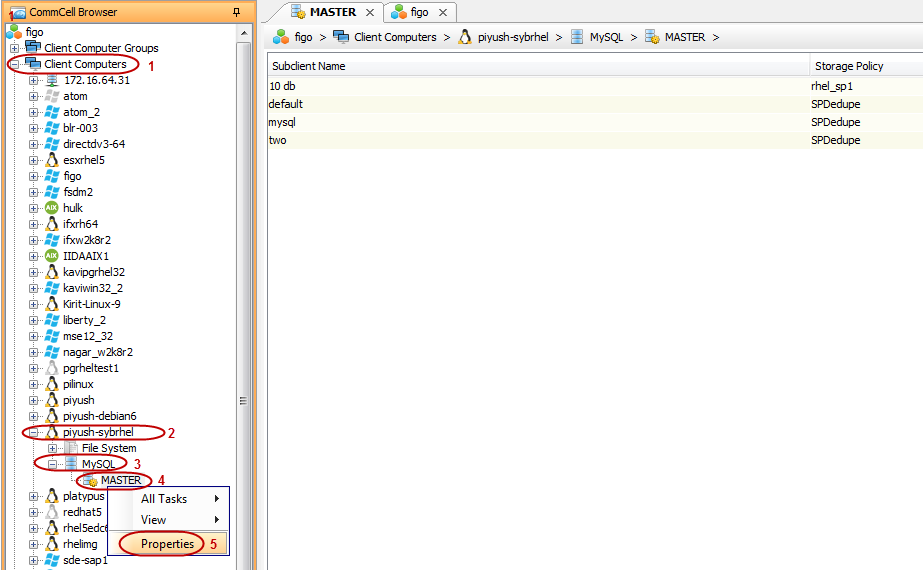
From the CommCell Browser, navigate to the Client Computers | <Client> | MySQL.
-
Right-click the <master instance> and then click Properties.
-
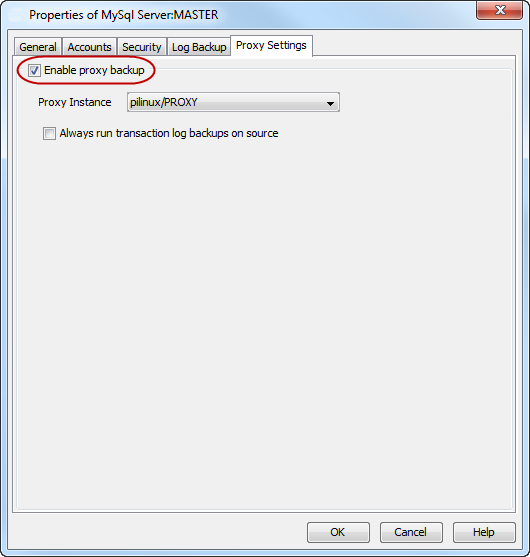
Click Proxy Settings tab.
-
Select Enable proxy backup.
-
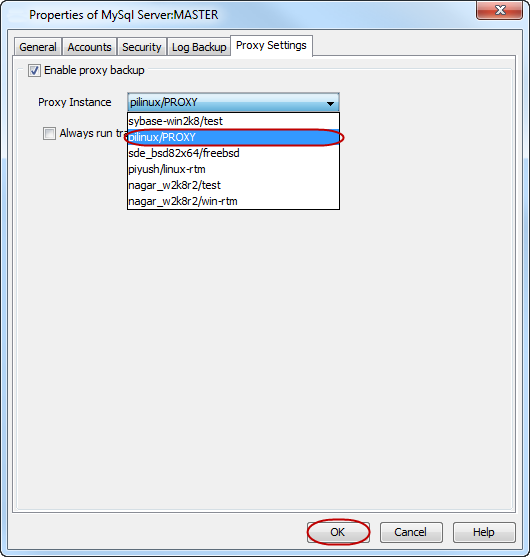
Select the server that you want to use as a proxy server from the Proxy Instance list.
-
Click OK.
After configuring the instance, you must configure the subclient on the master server in your CommCell Browser to proceed further with your proxy backup.
Configuring the Subclient for Proxy Backup on a Master Server
Use the following steps to configure the subclient on a master server for performing a proxy backup:
-
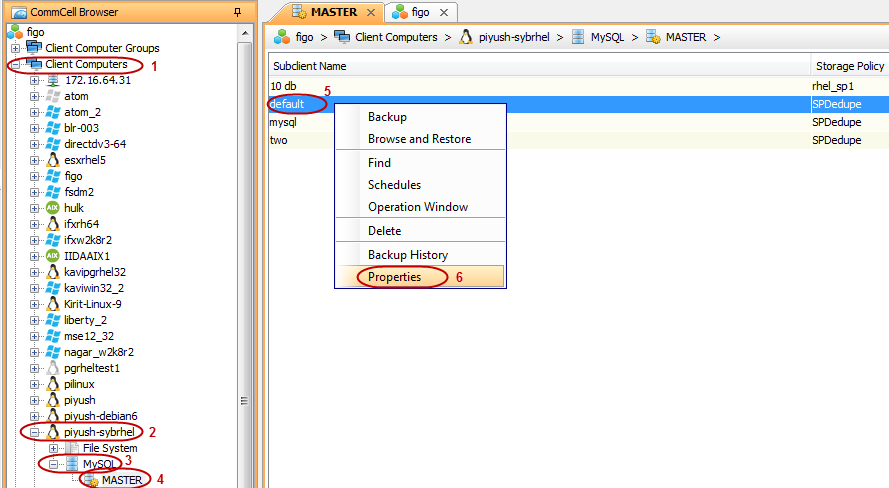
From the CommCell Browser, navigate to the Client Computers | <Client> | MySQL | <Instance>.
-
Right-click the <subclient> and then click Properties.
-
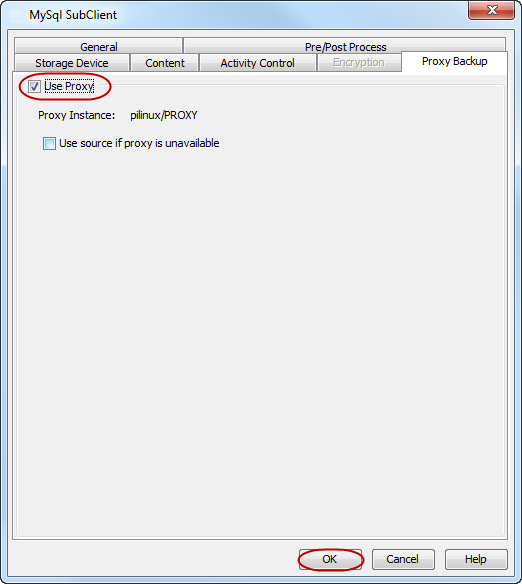
Click Proxy Backup tab.
-
Select Use Proxy. The instance that you have selected for proxy backup during the instance configuration is displayed in the Proxy Backup tab.
-
Click OK.