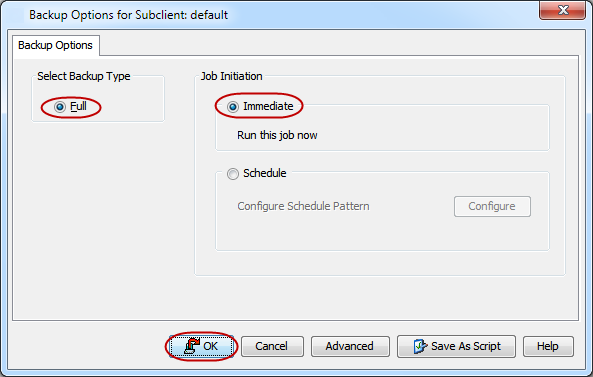
You can run a full backup operation on a DumpBasedBackupSet subclient.
Procedure
-
From the CommCell Browser, navigate to <Client> | PostgreSQL | <Instance> | <DumpBasedBackupSet>.
-
Right-click the <Subclient> and click Backup.
-
Select Full as the backup type and click Immediate.
-
Click OK.
You can track the progress of the job from the Job Controller. When the backup job has completed, the Job Controller displays Completed.
Note
-
By default, backup operations using DumpBased backup set does not include roles and tablespace location information. This is because
pg_dumputility that is used to perform DumpBased backup operation does not back up roles and tablespace location information. To save this information usingpg_dumpallutility, enable backups for global objects in PostgreSQL databases. -
By default, pg_dump is performed on Windows clients using the tar format (-Ft). This process does not require staging on the Commvault side. However, the PostgreSQL application uses the system’s temporary directory (typically C:temp) as a staging location for temporary files while generating the tar-based dump.
Ensure that the Windows temporary directory has sufficient free space to accommodate the dump files.
- The available free space must be large enough to handle the dump files based on the subclient content and the number of configured streams. If a subclient is configured with n streams, ensure that the free space in the staging area is at least 120% of the combined size of the n largest databases in the subclient.
Example:
If a subclient is configured with two streams and includes five databases of sizes 40 GB, 30 GB, 15 GB, 5 GB, and 1 GB, the required free space should be 84 GB (120% of 40 GB + 30 GB).
In most cases, dump files are smaller than the actual database size. However, in rare scenarios, the dump size might exceed the database size depending on the data characteristics.