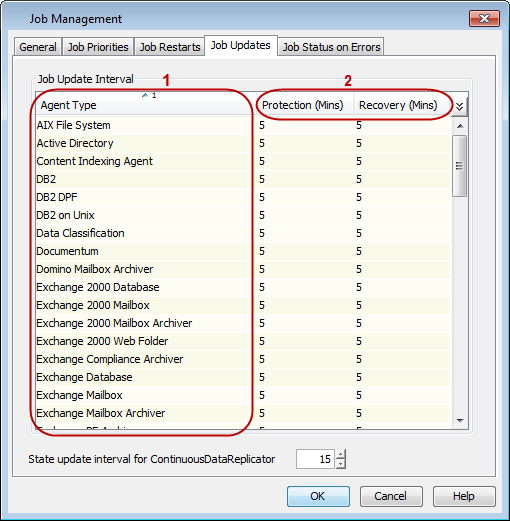
The Job Update Interval allows you to view or modify how often information is updated for backup and restore operations in the Job Details dialog box. The Job Updates Interval list displays all of the available agent types. Specify the protection and recovery time in minutes. You can also set the update interval time for the ContinuousDataReplicator.
Procedure
-
From the CommCell Console ribbon, on the Home tab, click Control Panel.
-
Under Data, click Job Management.
-
On the Job Updates tab, select an Agent from the Agent Type list and click the integer under the Protection (Mins) or the Recovery (Mins) column to change the time interval.
-
Click OK.