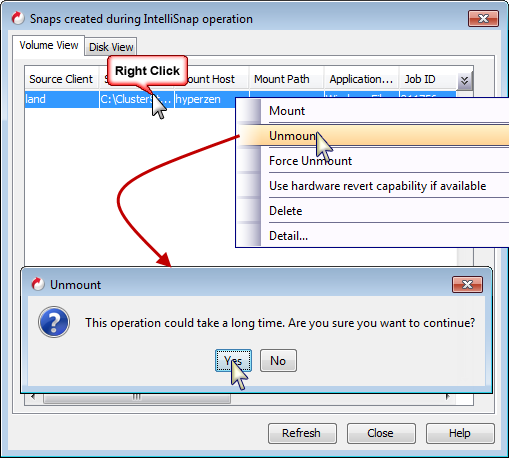
Follow the steps given below to unmount snapshots:
-
From the CommCell Browser, navigate to Client Computers| Hyper-V Client | Virtual Server | defaultBackupSet.
-
Right-click the subclient and click List Snapshots.
-
Right-click the snapshot you wish to unmount and click Unmount.
-
Click Yes when prompted if you want to continue.
Note
If the snapshot does not get unmounted, select the Force Unmount option to mark the snapshot as unmounted.