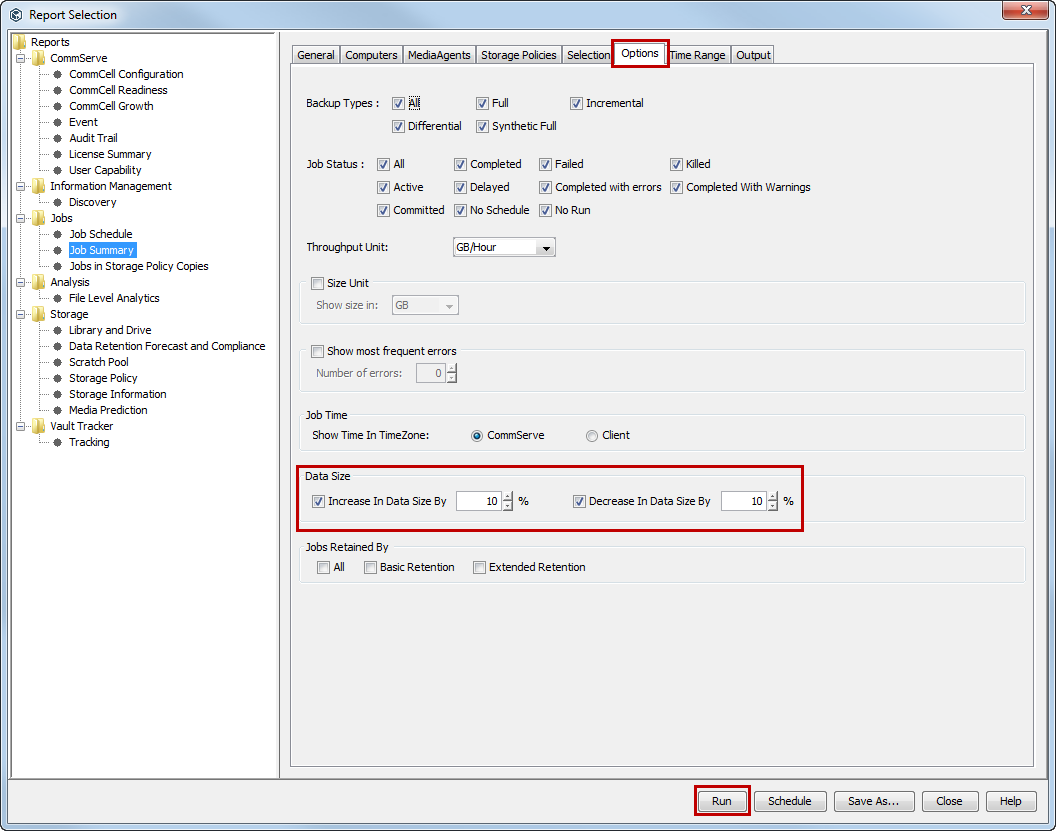
In the Backup Job Summary Report, you can view the data size differences in the applications of a subclient compared to other subclients with the same job type.
Procedure
-
In the CommCell Console, click the Reports tab, and then click the Summary button.
The Report Selection dialog box appears.
-
Under Reports, select Job Summary.
-
On the General tab, click Data Management, and then click Backup
-
Click the Options tab.
-
Under Data Size, select any of the following and then specify a percentage:
-
Increase In Data Size By
-
Decrease In Data Size By
-
-
Click Run.
The report appears in the output format that you specified.