As the administrator, you can get the Service Provider XML file or the Assertion Consumer Service URL and the Entity ID from the Clumio dashboard.
-
In the Clumio navigation pane, go to Administration > Access management > Authentication (SSO/MFA).
-
Select Single sign-on (SSO).
-
Click Configure SSO.
-
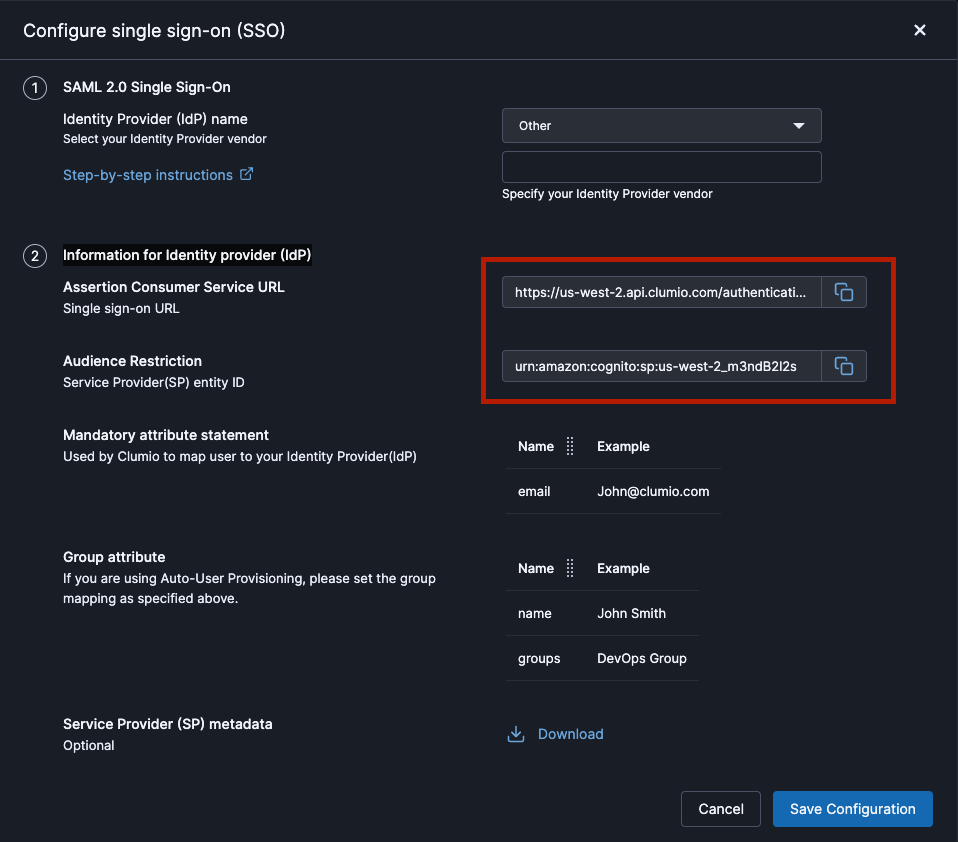
In the Information for identity provider (IdP) section:
-
Assertion consumer service URL: Your identity provider redirects the authentication response to this URL.
-
Entity ID: A globally unique name for SAML configuration.
-
Download the service provider metadata file: If your IdP supports an option to upload the SP metadata file, then download this file from Clumio dashboard and upload it in your IdP. If your IdP doesn’t support uploading of file, it will require the following fields, that can be manually copied and pasted into your IdP.
Note
If the Audience Restriction and/or Assertion Consumer Service URLs are empty, please contact support@clumio.com.