What is archived:
By default, mailbox messages that meet the following criteria are archived:
-
Messages older than 30 days
-
Messages greater than 1024 KB in size
What is not archived:
By default, the following are not included in archive operations:
-
Messages sent within the last 30 days (see Configuring Archive Rules for information on modifying this setting)
-
Messages less than 1024 KB in size (see Configuring Archive Rules for information on modifying this setting)
Procedure
-
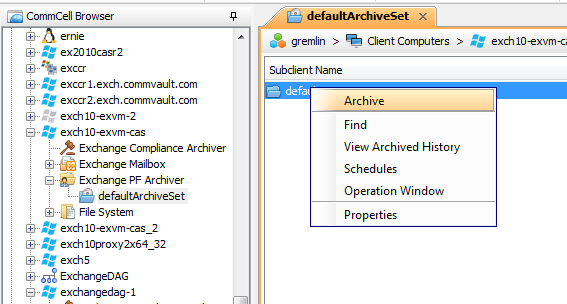
From the CommCell Console, navigate to Client Computers > client > Exchange PF Archiver > defaultArchiveSet.
Right-click the default subclient and click Archive.
-
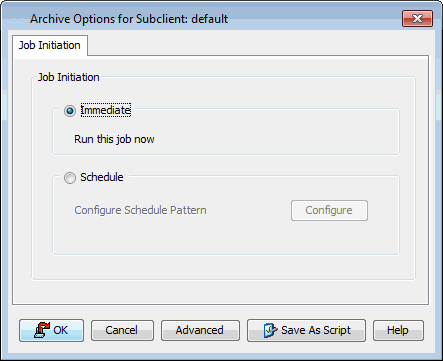
Click Immediate.
-
Click OK.
-
You can track the progress of the job from the Job Controller.

-
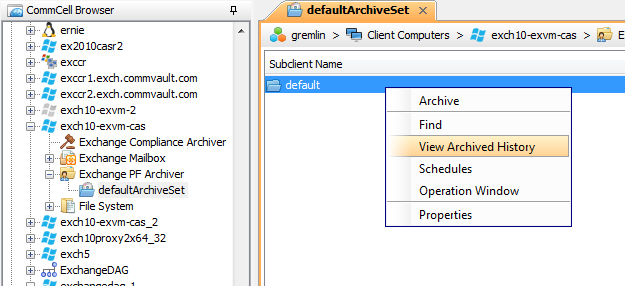
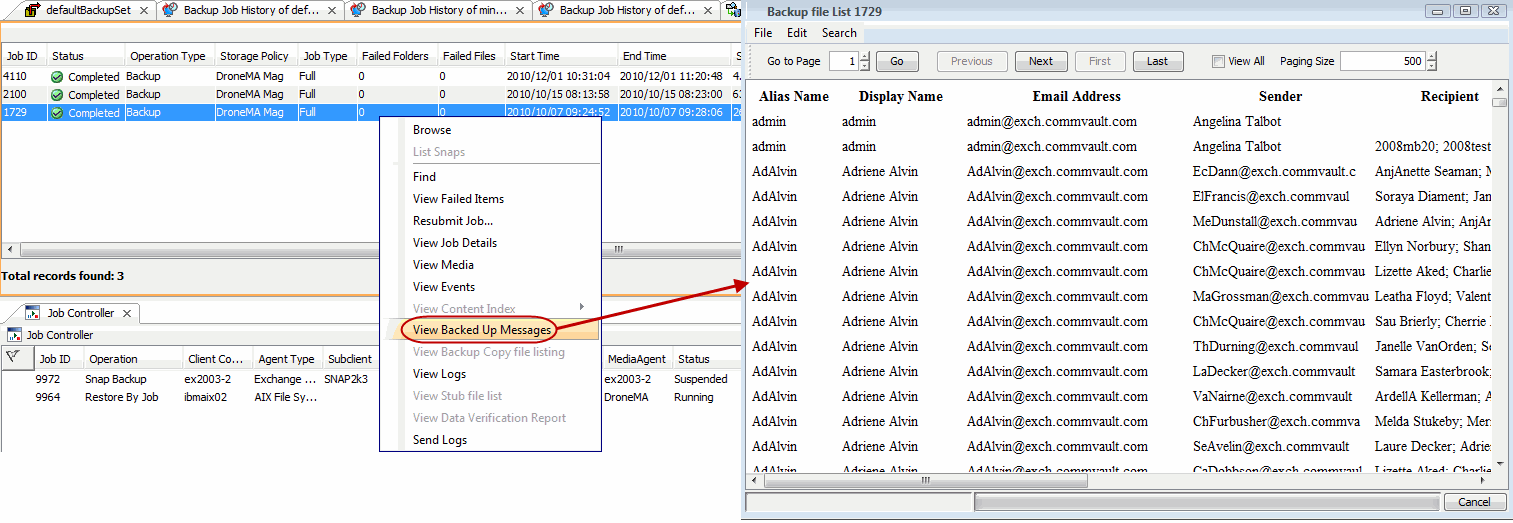
Once the job is complete, view the details of job from the View Archive History. Right-click the default subclient and select View Archived History.
-
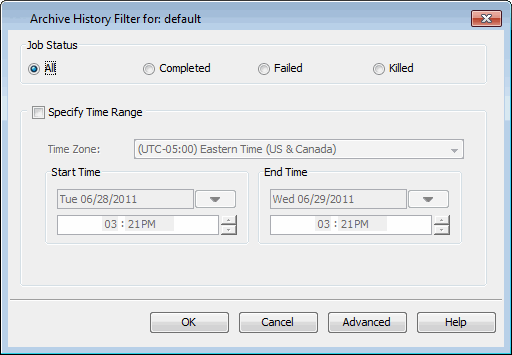
Click OK.
-
Right-click the job to:
-
Browse the archived data.
-
Find messages in the archives.
-
View items that failed, if any, during the job.
-
Resubmit the job.
-
View job details, such as the number of mailboxes archived.
-
View media associated with the job.
-
View events associated with the job.
-
View list of files that were archived.
-
View logs associated with the job.
-
Send the log file that is associated with the job.
-