You can integrate the Clumio service with Microsoft Active Directory Federation Service (AD FS).
Prerequisites
Ensure that you have the following before you start configuring the AD FS server.
-
AD FS account with admin privileges
-
The Clumio metadata XML file
For information about retrieving this information from the Clumio dashboard, see Getting SSO service provider information from Clumio dashboard.
Configure AD FS as an IdP for Clumio Service
-
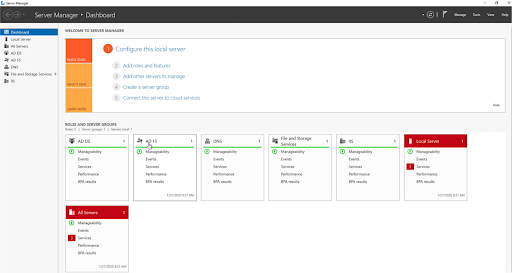
To add the Clumio application to AD FS, go to AD Server, click Start > Server Manager.
-
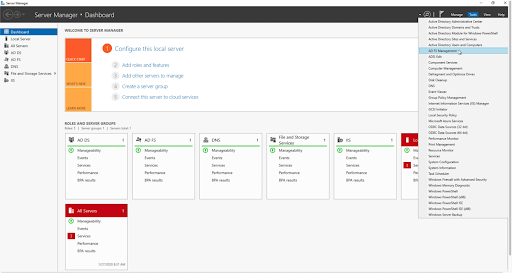
Make sure that you can locate the AD FS services in the Server Manager portal. From there, navigate to Tools > AD FS Management.
-
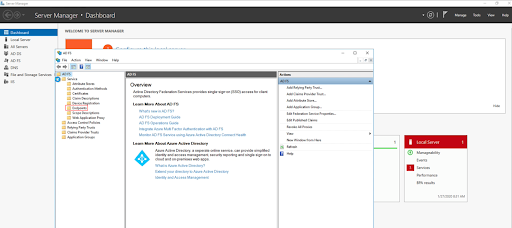
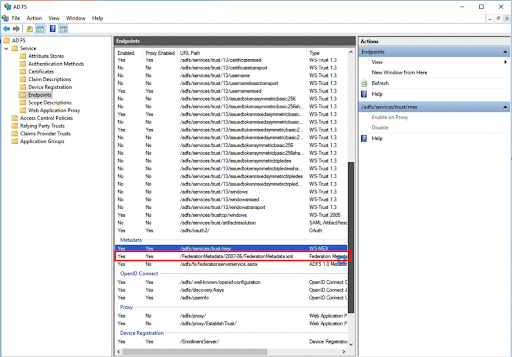
Click Service > Endpoints.
-
Verify that the Metadata XML endpoint is configured as Yes for Enabled and Proxy Enabled columns.
-
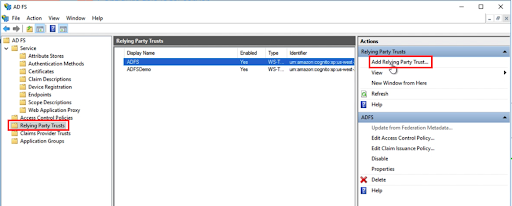
Now, configure a relying-party Trust for the Clumio service. Under the AD FS Management, click Relying Party Trusts and select Add Relying Party Trust on the panel to the right.
-
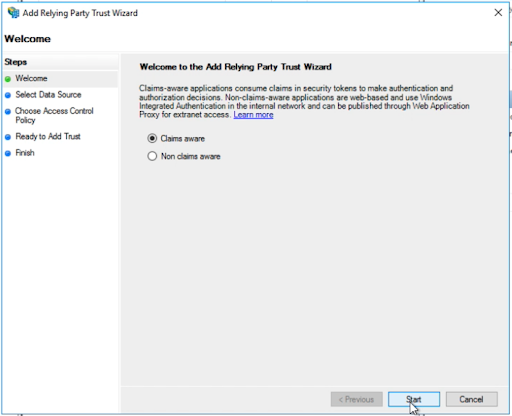
When the Add Relying Party Trust wizard appears, click Start.
-
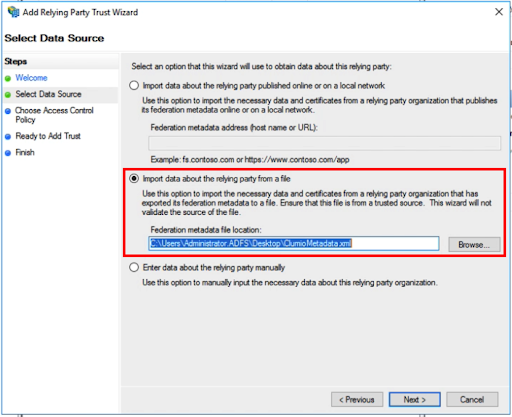
In Select Data Source, choose Import data about the relying party from a file and click Browse. Select the Clumio metadata XML file downloaded from the Clumio dashboard and click Next.
-
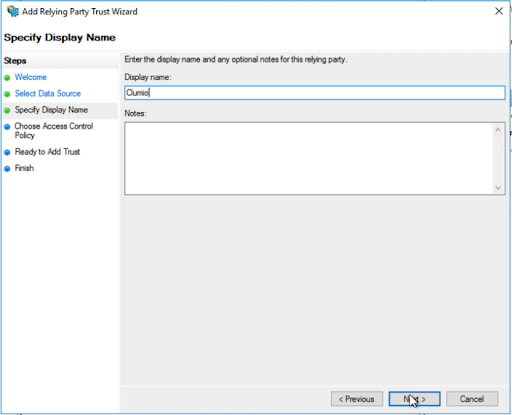
In Specify Display Name, type a display name for the Clumio service, such as Clumio, then click Next.
-
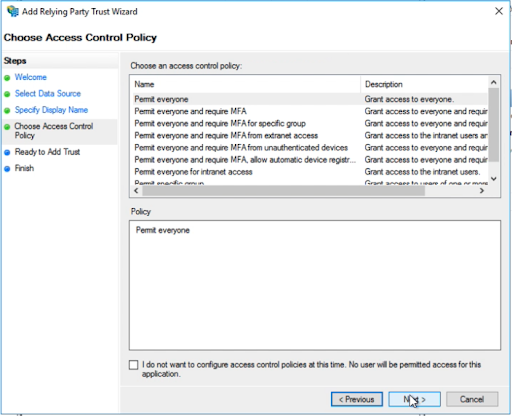
In Choose Access Control Policy, select the corporate policy. appropriate to your requirements, and click Next.
-
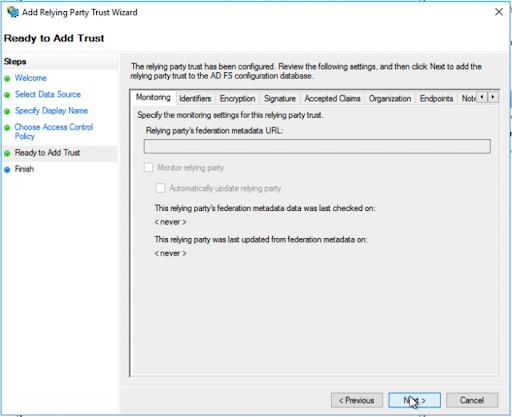
In Ready to Add Trust, click Next.
-
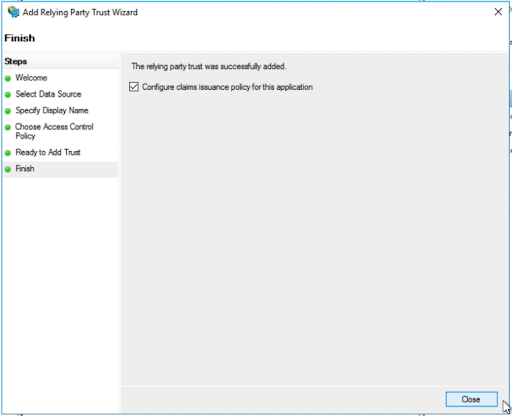
In Finish, keep the Configure claims issuance policy for this application option as checked. Click Close.
-
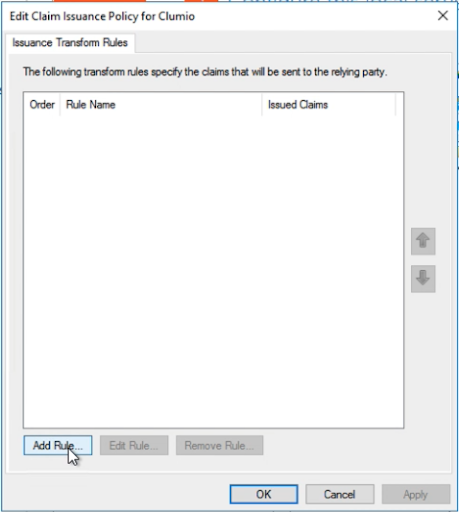
Clicking Close launches the Edit Claim Issuance Policy for Clumio wizard. Select Add Rule to create a new rule for Clumio.
-
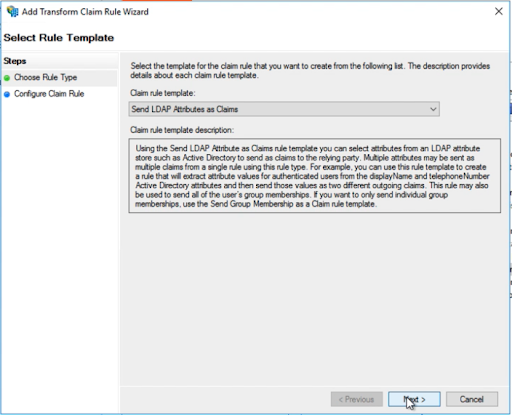
In Select Rule Template, leave the values as default and click Next.
-
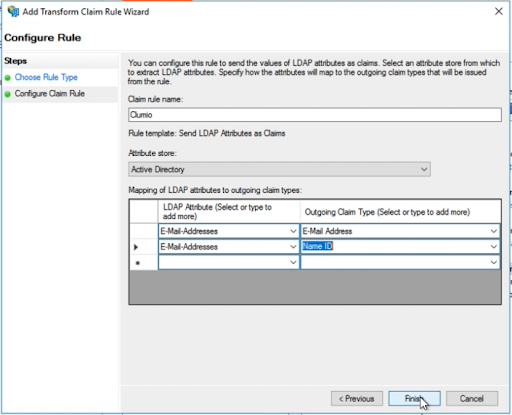
In Configure Rule, enter the Claim rule name as Clumio. Under the Attribute store option, select Active Directory. Under the Mapping of LDAP attributes to outgoing claim types, add two LDAP Attribute as E-Mail-Addresses and Outgoing Claim Type as E-Mail Addressand Name ID respectively as shown below. Click Finish.
-
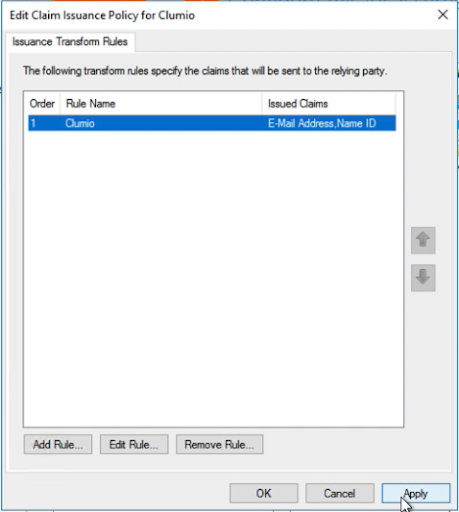
Click Apply and then click OK.
-
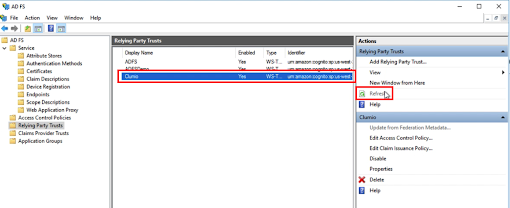
Hit Refresh on the AD FS Relying Party Trusts section and confirm the presence of Clumio service.