You can integrate the Clumio service with Auth0.
Prerequisites
Ensure that you have the following before you start configuring Auth0:
-
Auth0 account with admin privileges
-
The Clumio Entity ID and Assertion Consumer Service URL
For information about retrieving this information from the Clumio dashboard, see Getting SSO service provider information from Clumio dashboard.
Configure Auth0 as an IdP for Clumio Service
-
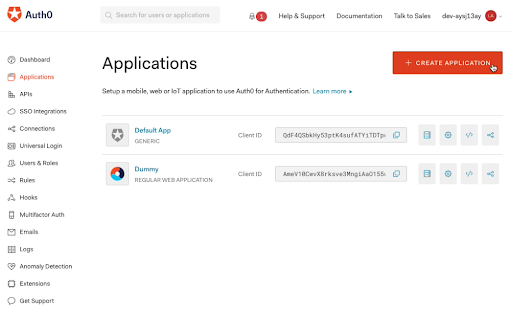
Go to Dashboard > Applications and click Create Application.
-
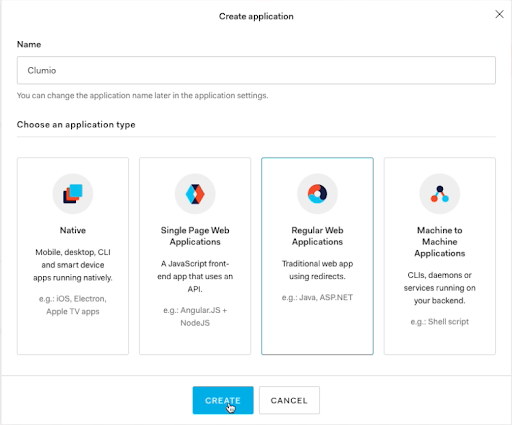
In the Name field, type a name e.g. Clumio, and select the application type as Regular Web Applications. Click Create.
-
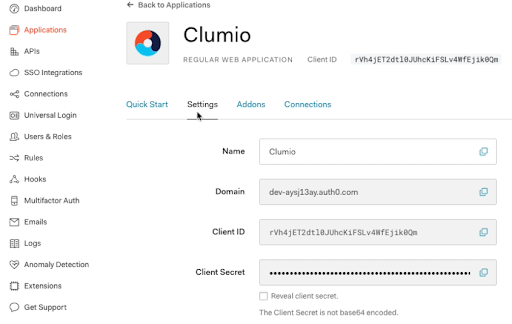
Go back to Dashboard > Applications, find the Clumio row and click the Settings tab.
-
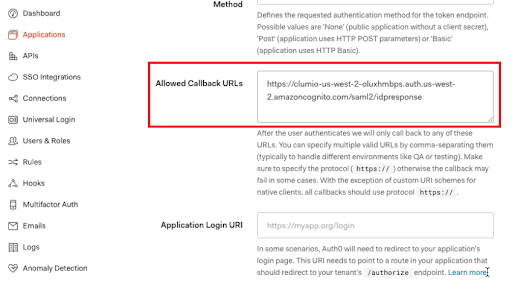
Under the Allowed Callback URLs insert the Assertion Consumer Service URL field from Clumio dashboard.
-
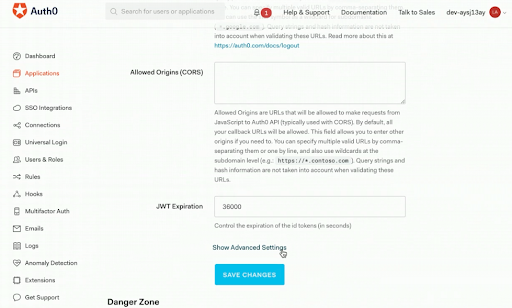
Scroll to the bottom and click Show Advanced Settings.
-
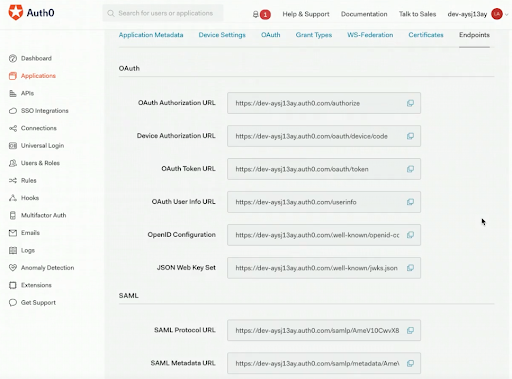
Under Advanced Settings, Click the Endpoints tab. Scroll down to locate the SAML Metadata URL field. This field will be required on Clumio dashboard.
-
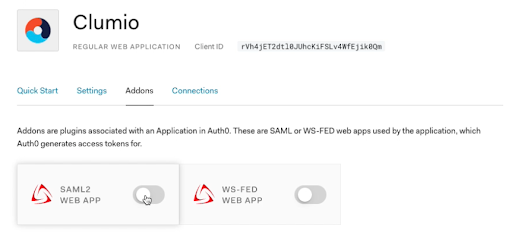
Scroll down and click Save Changes. Click Addons for the app and enable SAML2 WEB APP.
-
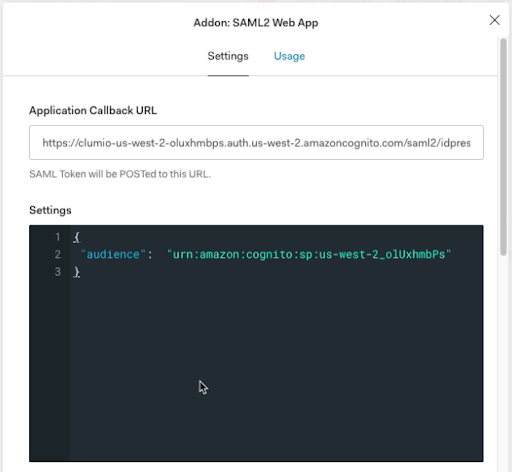
Under the Settings tab, remove all the text except the “audience” field. The audience value should be configured as the Entity ID obtained from the Clumio dashboard:
-
Scroll all the way down and click Enable.
Contact support@clumio.com with any questions or concerns.