You can integrate the Clumio service with Duo.
Prerequisites
Ensure that you have the following before you start configuring Duo:
-
Duo account with admin privileges
-
The Clumio Entity ID and Assertion Consumer Service URL
For information about retrieving this information from the Clumio dashboard, see Getting SSO service provider information from Clumio dashboard.
Configure Duo as an IdP for Clumio Service
-
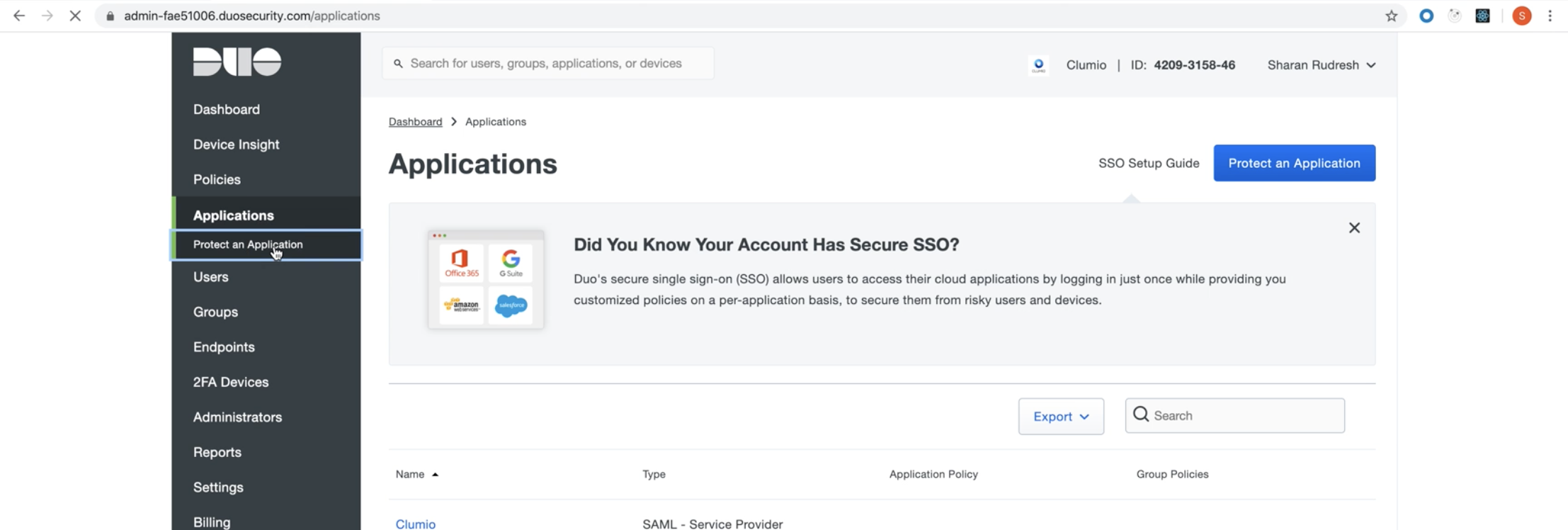
Log into your Duo portal and click on Applications > Protect an Application.
-
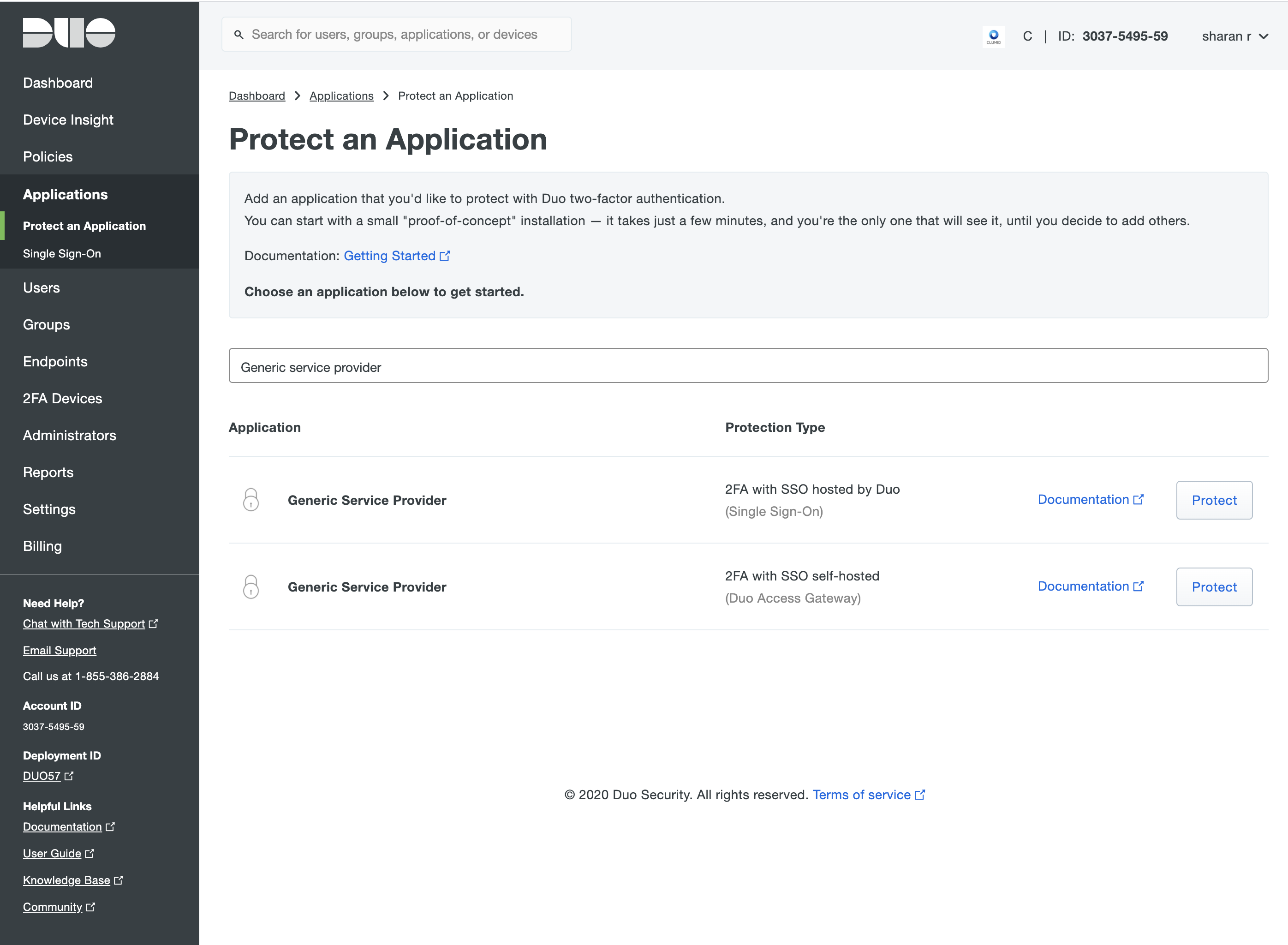
Insert Generic Service Provider.
-
Depending on whether SSO (is) hosted by Duo or SSO (is) self-hosted, click Protect accordingly:
-
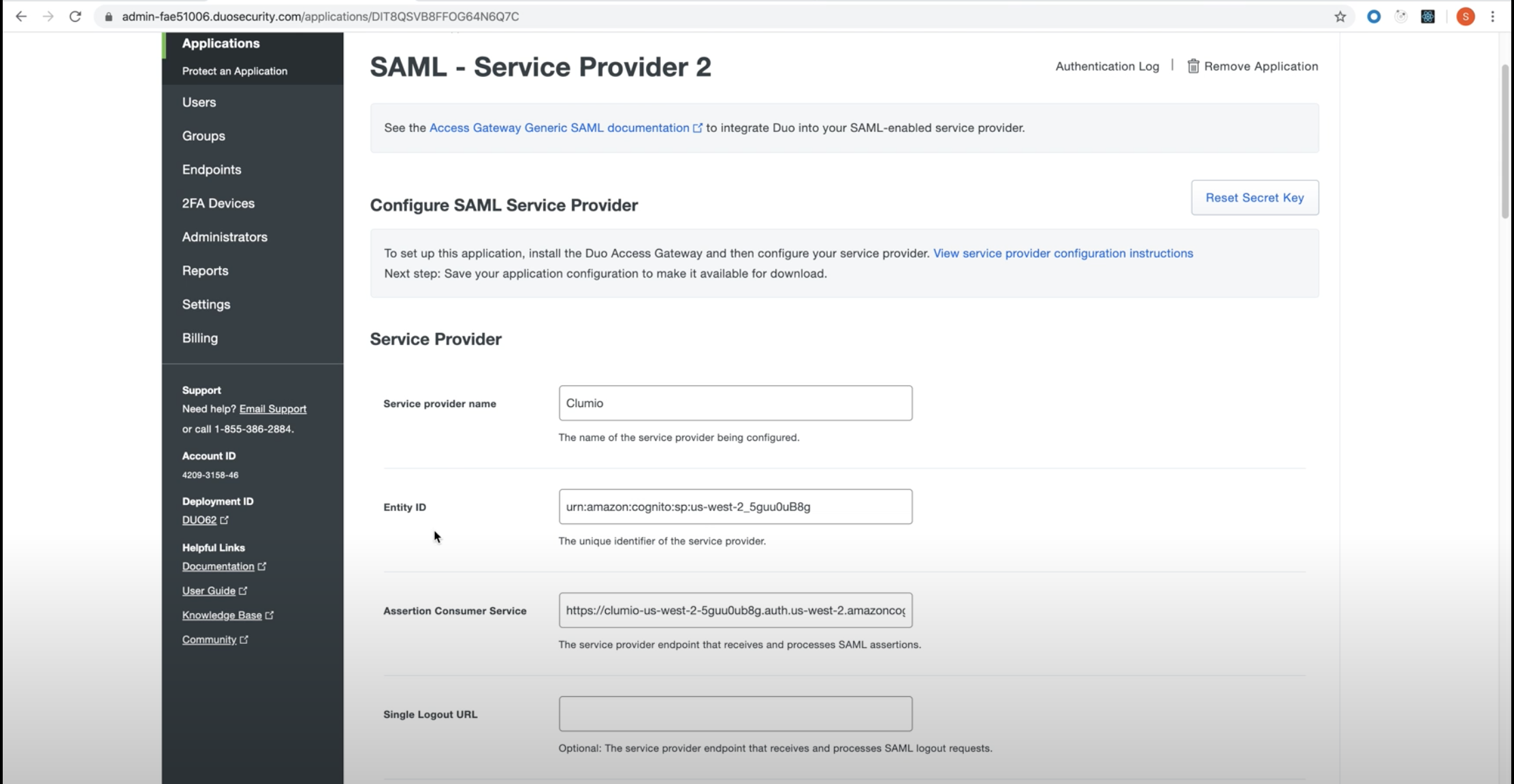
Type the Service Provider Name as Clumio. Configure the Entity ID and Assertion Consumer Service fields with values obtained from the Clumio dashboard:
-
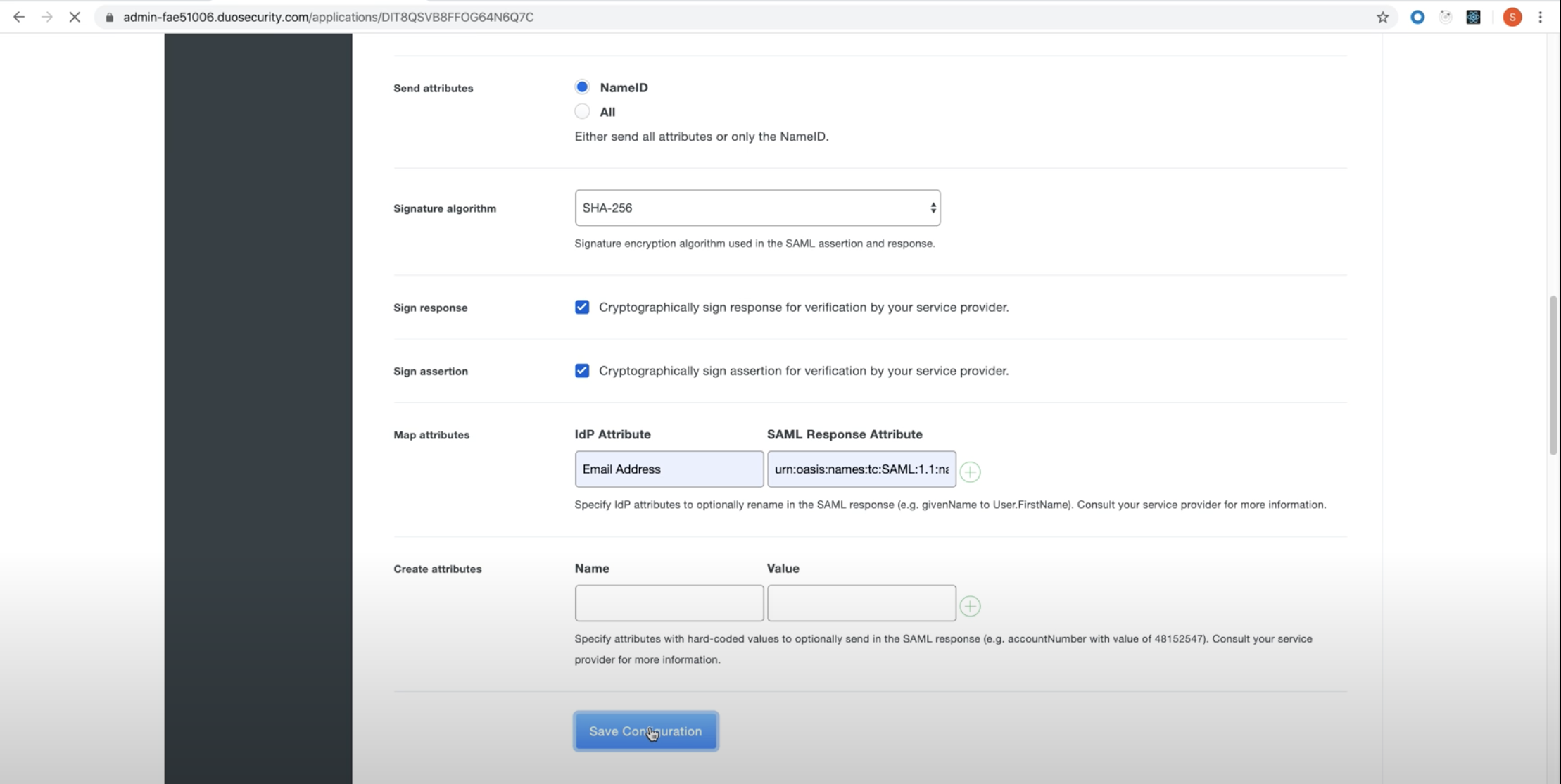
Under Map Attributes in SAML Response add IdP Attribute as "Email Address" and SAML Response Attribute as “http://schemas.xmlsoap.org/ws/2005/05/identity/claims/emailaddress”.
-
Click Save Configuration.
-
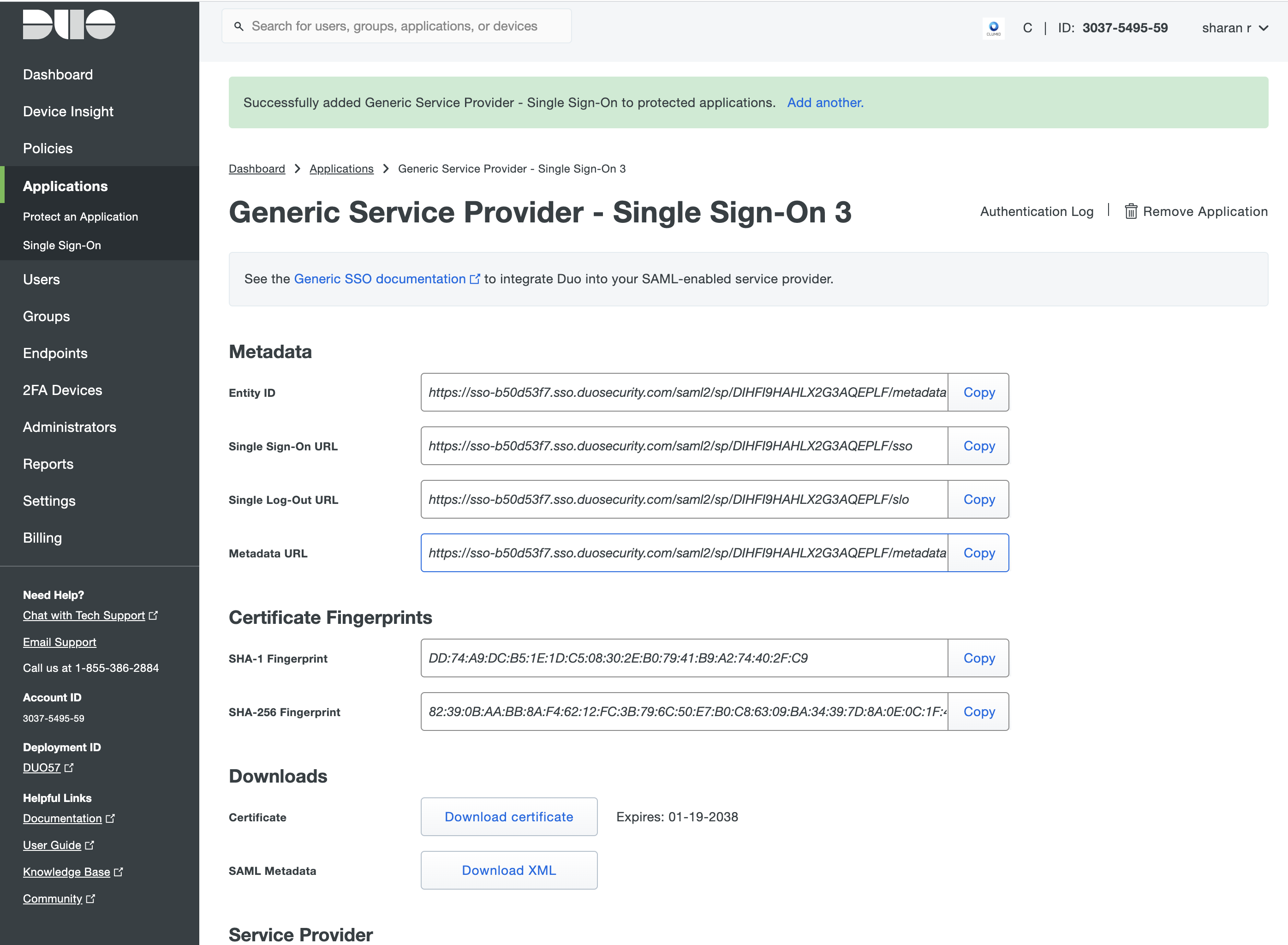
Click Download XML and then upload this file to the Clumio dashboard.